iPhone Fast Charging Accessories for Faster and Safer Charging
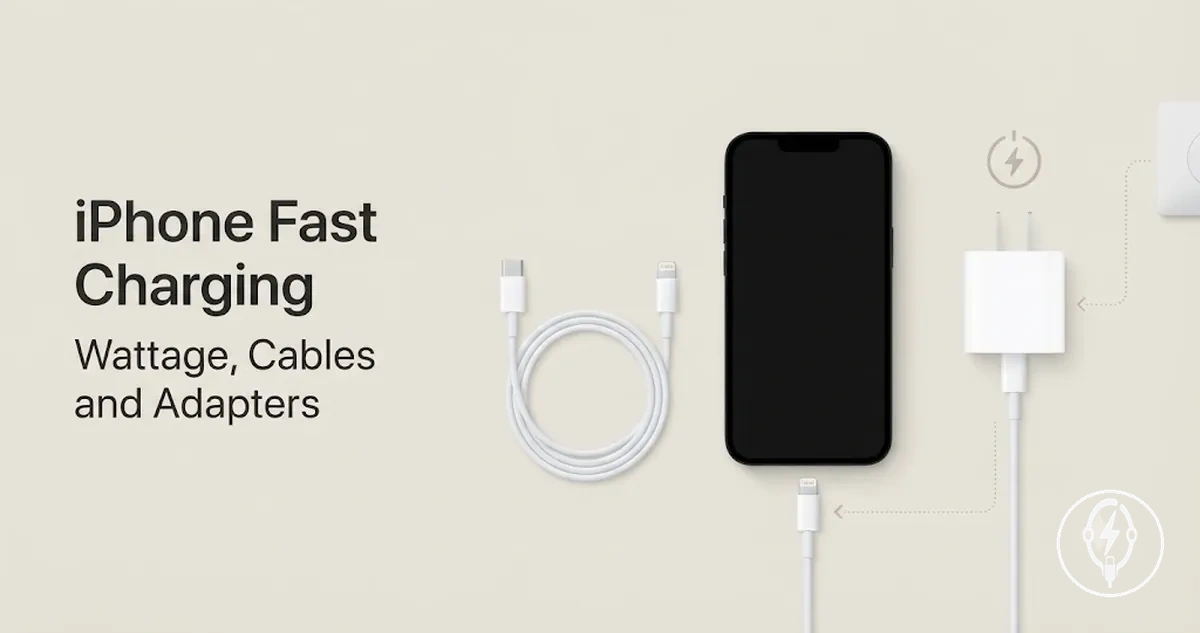
iPhone fast charging accessories are the adapter and cable components required to deliver fast charging to a supported iPhone under compatible conditions. According to Apple Support, iPhone 8 and later support fast charging when used with a compatible USB-C Power Delivery power adapter and the appropriate charging cable for the device. A complete fast charging setup therefore consists of a compatible adapter, a compatible cable, and a supported iPhone.
A complete fast charging setup therefore consists of a compatible adapter, a compatible cable, and a supported iPhone.
Adapter wattage, cable type, connector standard, and device compatibility work as one system because the charging rate is limited by the least capable component in the charging path. Apple specifies that iPhone 15 models use USB-C, while earlier supported models use a USB-C to Lightning cable to access USB Power Delivery fast charging with a compatible power adapter. For the broader category that includes standard charging equipment as well as fast charging products, see iPhone charging accessories.
For the broader category that includes standard charging equipment as well as fast charging products, see iPhone charging accessories .
Fast charging improves charging performance only when the complete setup matches the supported iPhone and operating conditions, so no fixed charging speed should be expected across every model. Apple also states that charging performance is influenced by factors including battery level, device temperature, and system activity, making heat management and battery health part of safe charging rather than separate considerations. The following sections explain compatibility, accessory types, and charging requirements in greater detail so you can identify the correct fast charging setup with realistic expectations.
Table of Contents
What Counts as an iPhone Fast Charging Accessory
An iPhone fast charging accessory is a cable, power adapter, or compatible connector component that enables a supported iPhone to charge at higher supported wired speeds when used as part of a compatible fast charging setup. According to Apple Support, fast charging on supported iPhone models requires a compatible USB-C Power Delivery power adapter together with the correct USB-C or USB-C to Lightning cable for the specific iPhone model. The accessory types that define this category are the adapter, cable, and connector used for fast charging.
The accessory types that define this category are the adapter, cable, and connector used for fast charging.
A single iPhone fast charging accessory performs one function, while a complete fast charging setup combines all compatible components required for supported charging speeds. For example, a USB-C Power Delivery adapter does not provide fast charging by itself unless it is connected to a compatible USB-C or USB-C to Lightning cable and a supported iPhone, as specified by Apple Support. This definition is limited to accessories that directly contribute to wired iPhone fast charging and excludes charging products outside that purpose.
The illustration below labels the components included in this definition rather than showing a product catalogue.
What counts as an iPhone fast charging accessory becomes clearer when each component is separated by its role in the charging path. The illustration below labels the components included in this definition rather than showing a product catalogue.
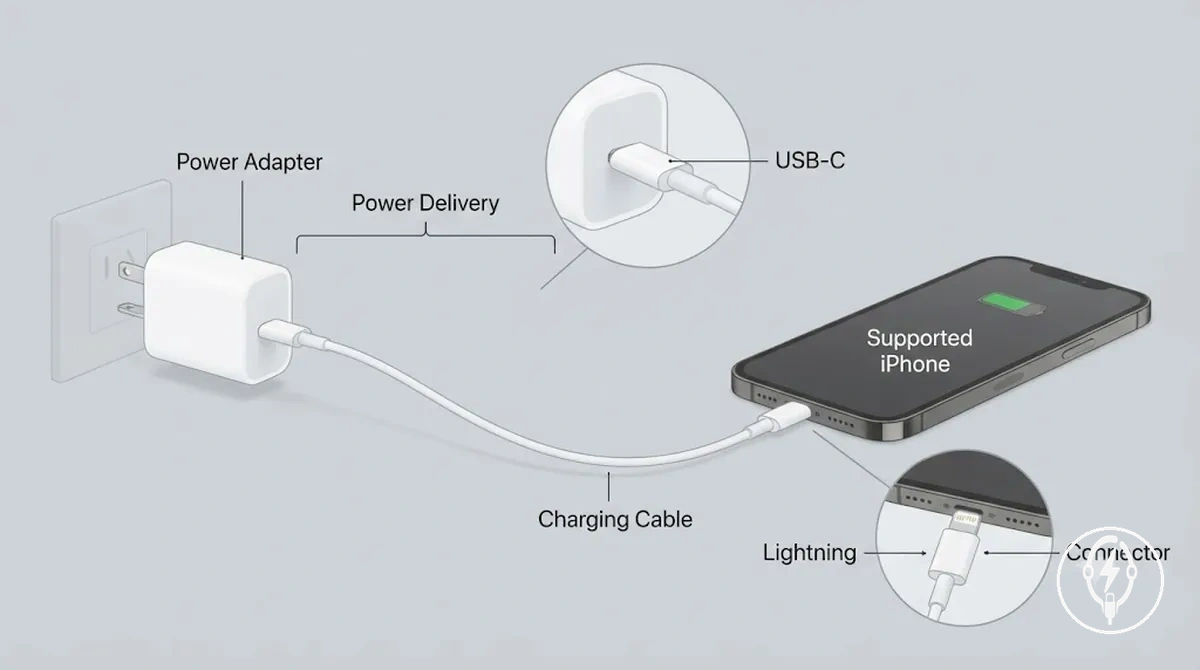
- Power adapter: Supplies USB-C Power Delivery output that enables supported fast charging when paired with a compatible cable and a supported iPhone, according to Apple Support.
- Charging cable: Carries power between the adapter and the iPhone using either USB-C or USB-C to Lightning, depending on the supported iPhone model.
- Connector: The USB-C or Lightning connector provides the physical interface required for compatibility between the cable, power adapter, and supported iPhone.
- Power Delivery support: USB Power Delivery is the charging protocol used by compatible adapters and cables to negotiate higher supported charging speeds with a supported iPhone under compatible conditions.
iPhone Fast Charging Requirements
iPhone fast charging requirements are that the supported iPhone model, power adapter, charging cable, and connector must all support the same charging path. According to Apple Support, iPhone 8 and later support fast charging when paired with a compatible USB-C Power Delivery power adapter and the correct cable for the specific iPhone model, making compatibility across every component a mandatory condition rather than an independent requirement. These requirements work as a chain because one unsupported component can prevent the complete fast charging path.
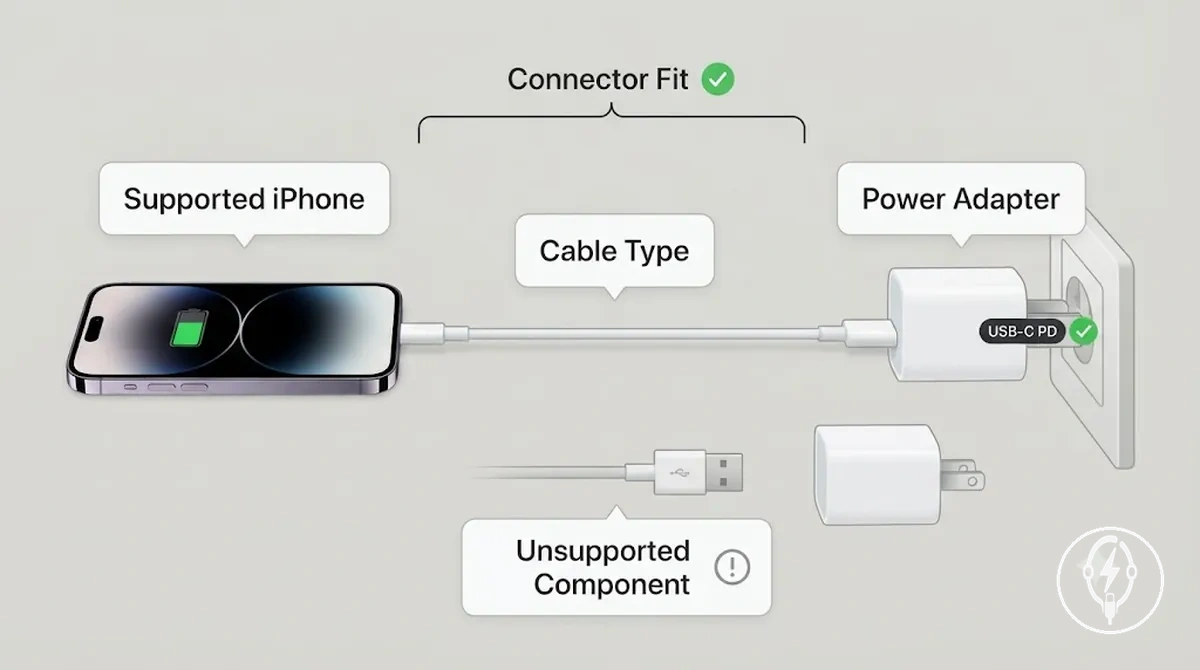
A supported iPhone must be connected to a USB-C Power Delivery adapter, the correct cable type, the proper connector fit, and compatible adapter wattage. Apple specifies that a USB-C power adapter rated at 20 W or higher supports fast charging on compatible iPhone models when used with the appropriate USB-C or USB-C to Lightning cable, depending on the device generation. For example, an iPhone 15 paired with a 20 W USB-C Power Delivery adapter and a USB-C cable meets the charging path requirements, while an earlier supported iPhone requires a USB-C to Lightning cable with the same class of adapter. If one unsupported component is introduced into the charging path, charging may fall back to standard wired charging instead of the highest supported fast charging rate.
For broader compatibility criteria across chargers and Apple devices, see charger compatibility .
The checklist below helps verify iPhone fast charging requirements before connecting a charging setup and should be used as a compatibility check rather than a guarantee of a specific charging speed. For broader compatibility criteria across chargers and Apple devices, see charger compatibility.
- Supported iPhone: Confirm that the iPhone model supports Apple's fast charging feature, beginning with iPhone 8 and later.
- USB-C Power Delivery: Verify that the power adapter supports the USB-C Power Delivery charging protocol specified by Apple for fast charging.
- Cable type: Use a USB-C cable for iPhone 15 and later or a USB-C to Lightning cable for earlier supported models.
- Adapter wattage: Use a compatible power adapter rated at 20 W or higher, as specified by Apple for fast charging support.
- Connector fit: Ensure the cable connectors match both the adapter and the iPhone because an unsupported component can interrupt compatibility and reduce charging performance.
USB-C Power Delivery Support
USB-C Power Delivery support is the protocol requirement that allows a supported iPhone to negotiate faster charging with a compatible adapter and cable. According to the USB Implementers Forum (USB-IF), USB Power Delivery (USB PD) is the power protocol that enables compatible USB-C devices to negotiate charging parameters, while Apple specifies that iPhone fast charging requires a compatible USB-C Power Delivery adapter and the appropriate cable. A USB-C connector shape identifies the physical interface, but it does not confirm that Power Delivery support is available.
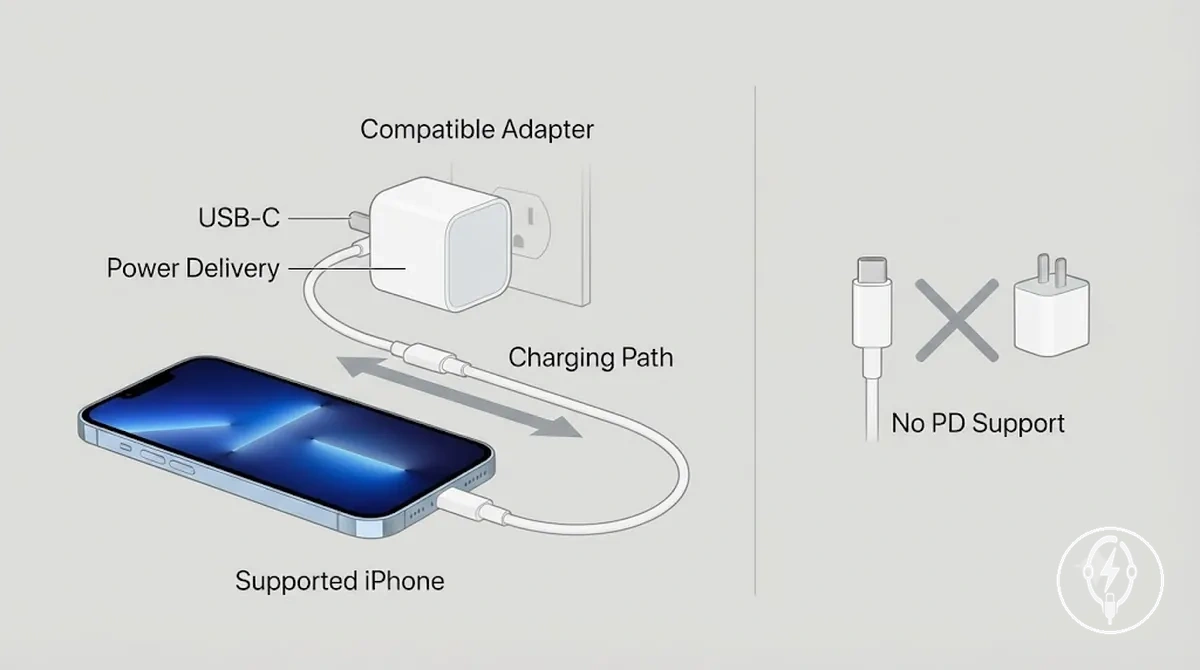
Power Delivery support affects charging negotiation rather than the connector itself. Apple states that compatible iPhone models fast charge when connected to a USB-C Power Delivery adapter rated at 20 W or higher with the correct cable, whereas a USB-C charger without Power Delivery support can charge the device but does not meet Apple's fast charging requirement. For example, a supported iPhone connected to a 20 W USB-C PD adapter can negotiate faster charging, while replacing the adapter with a USB-C charger that lacks PD support causes charging to continue without the fast charging negotiation defined by Apple.
Power Delivery support affects charging negotiation rather than the connector itself.
Check the following USB-C Power Delivery support signals before expecting faster charging:
- Adapter label: Confirm that the charger explicitly states USB-C Power Delivery or USB-C PD support.
- Cable: Use a cable appropriate for the supported iPhone, including USB-C for iPhone 15 and later or USB-C to Lightning for earlier supported models.
- Supported iPhone: Verify that the iPhone model supports Apple's fast charging feature.
- Expected outcome: When the adapter, cable, and supported iPhone all support USB-C Power Delivery, faster charging can be negotiated; otherwise, the device charges through a standard wired charging path.
Model and Connector Requirements
iPhone model and connector requirements determine which fast charging cable and adapter combination can be used. According to Apple Support, iPhone 15 and later models use a USB-C connector with a USB-C to USB-C cable, while supported earlier iPhone models with a Lightning connector require a USB-C to Lightning cable when paired with a compatible USB-C Power Delivery adapter for fast charging. Connector type therefore determines the correct charging path and cable-end compatibility.
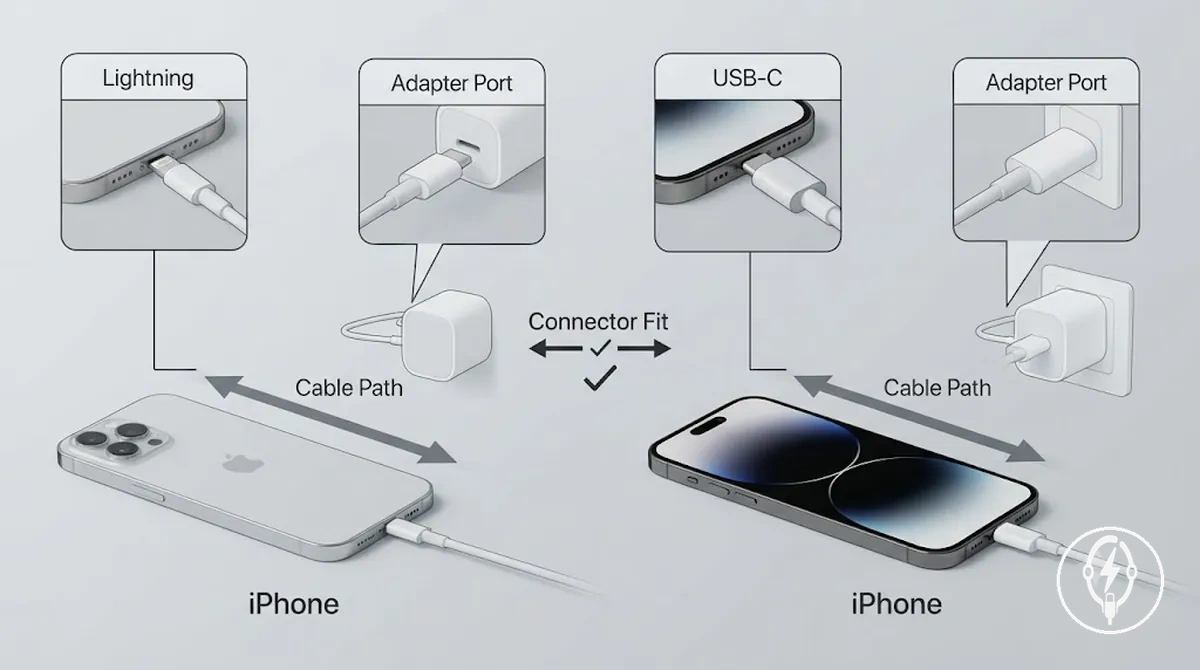
Model and connector requirements organise the correct accessory path by matching the iPhone connector, cable end, and adapter port. The table below separates Lightning-based and USB-C-based charging paths into compatibility conditions rather than an exhaustive model list, because Apple defines compatibility by connector type and supported device generation instead of every individual model.
| Connector situation | Cable path | Adapter side | Compatibility note |
|---|---|---|---|
| Lightning connector | USB-C to Lightning cable | USB-C Power Delivery port | According to Apple, supported Lightning-based iPhone models fast charge only when this cable path is paired with a compatible USB-C Power Delivery adapter. |
| USB-C connector | USB-C to USB-C cable | USB-C Power Delivery port | Apple specifies this cable path for iPhone 15 and later models with a USB-C connector. |
| Cable-end mismatch | Connector does not match the iPhone port | Any adapter port | The charging path cannot be established until the cable end matches the iPhone connector, regardless of adapter compatibility. |
| Condition-based example | USB-C to Lightning or USB-C to USB-C | USB-C Power Delivery port | For example, a supported iPhone 15 uses a USB-C to USB-C cable, while a supported iPhone 14 uses a USB-C to Lightning cable; both require a compatible USB-C Power Delivery adapter for Apple's fast charging feature. |
Wattage Choices for iPhone Fast Charging
Wattage choices for iPhone fast charging should be based on iPhone support, charging conditions, and intended use rather than selecting the highest power output available. According to Apple Support, a 20W charger is the recommended baseline for fast charging on compatible iPhone models, while 30W and higher USB-C Power Delivery adapters remain compatible because the iPhone negotiates only the power it is designed to accept. Higher wattage is therefore not automatically proportional to faster iPhone charging.
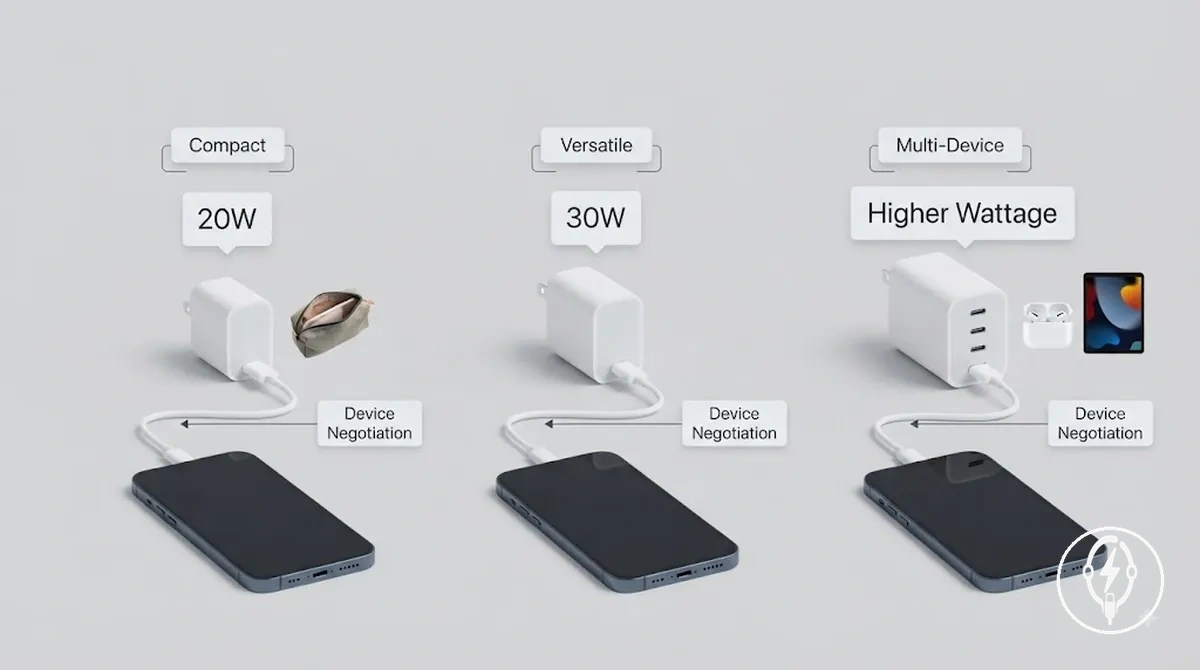
Wattage represents the maximum power output an adapter can supply, while device negotiation determines how much power a compatible iPhone actually draws. Apple specifies that compatible iPhones automatically negotiate charging power with a USB-C Power Delivery adapter, so a 30W charger or higher-wattage charger does not force additional power into the battery beyond the phone's supported charging level. For example, a 30W adapter can provide additional power capacity for another compatible USB-C device while still charging an iPhone, but charging conditions such as battery level, background activity, and heat can limit any practical benefit over a 20W charger. Select charger wattage according to portability, multi-device charging, and expected usage conditions rather than adapter power output alone.
Wattage choices for iPhone fast charging are easier to evaluate when compared by decision criteria instead of product ranking.
Wattage choices for iPhone fast charging are easier to evaluate when compared by decision criteria instead of product ranking. The comparison below shows how each wattage range fits different charging scenarios, and you can also compare a fast charger versus standard charger to understand how charging approaches differ beyond wattage.
| Wattage range | What it can support | Trade-off | Best-fit use case |
|---|---|---|---|
| 20W charger | Apple's recommended baseline for fast charging on compatible iPhones | Compact adapter with limited extra power for additional USB-C devices | Home charging, travel, or single-device use |
| 30W charger | Fast charging for compatible iPhones with additional charging adapter power for supported tablets and accessories | Slightly larger adapter with diminishing gains for iPhone-only charging because of device negotiation | Users who alternate between an iPhone and another compatible USB-C device |
| Higher-wattage charger (above 30W) | Supports multiple compatible USB-C devices while the iPhone draws only its supported charging power | Lower portability and little additional iPhone charging benefit under normal charging conditions | Desk setups, shared charging stations, or regular multi-device use |
20W Chargers as the Practical Baseline
A 20W charger is a practical baseline for iPhone fast charging because Apple specifies that compatible iPhone models support fast charging with a 20W or higher USB-C Power Delivery power adapter and a compatible cable. A 20W charger provides the minimum adapter wattage that Apple currently recommends for fast charging on supported iPhone models, but it is a practical baseline rather than the best choice for every charging setup. This baseline applies only when a supported iPhone is paired with the correct compatible cable.
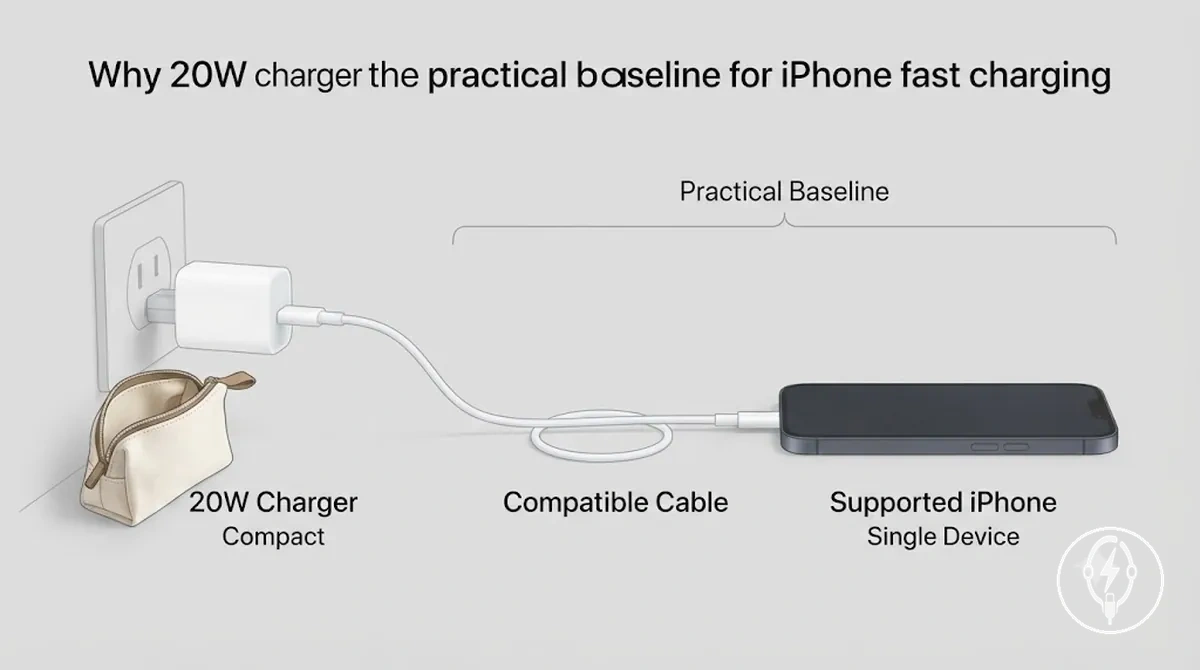
A 20W charger offers strong cost-value for single-device use because a compact charger is easy to carry while still meeting Apple's recommended fast-charging threshold for compatible iPhones. According to Apple Support, iPhone 12 and later models, together with iPhone SE (3rd generation), support fast charging with a 20W or higher USB-C Power Delivery adapter under compatible conditions. For example, a user who charges only one supported iPhone at home or while travelling usually gains the intended fast-charging capability from a 20W charger without needing a higher-wattage adapter for additional devices. The criteria below help decide when a 20W charger is the most practical baseline.
- Supported iPhone: Choose a 20W charger when the iPhone model supports Apple's fast charging feature with a 20W or higher USB-C Power Delivery adapter.
- Compatible cable: Pair the adapter with the correct USB-C or USB-C to Lightning cable because adapter wattage alone does not enable fast charging.
- Compact charger: Select a compact charger when portability, travel convenience, and everyday charging are more important than powering multiple devices.
- Single-device use: A 20W charger is a practical baseline when the charging setup is intended primarily for one supported iPhone rather than a shared multi-device charging station.
30W and Higher-Wattage Chargers
30W chargers and higher-wattage chargers are most beneficial when one USB-C Power Delivery adapter is intended to charge both a compatible iPhone and other compatible USB-C devices rather than to increase iPhone charging speed. According to Apple Support, compatible iPhones negotiate the charging power they accept from a USB-C Power Delivery adapter, while Apple recommends a 20W or higher USB-C power adapter for fast charging. Extra adapter wattage therefore increases charging flexibility but does not guarantee faster iPhone charging beyond the device's supported charging behaviour.
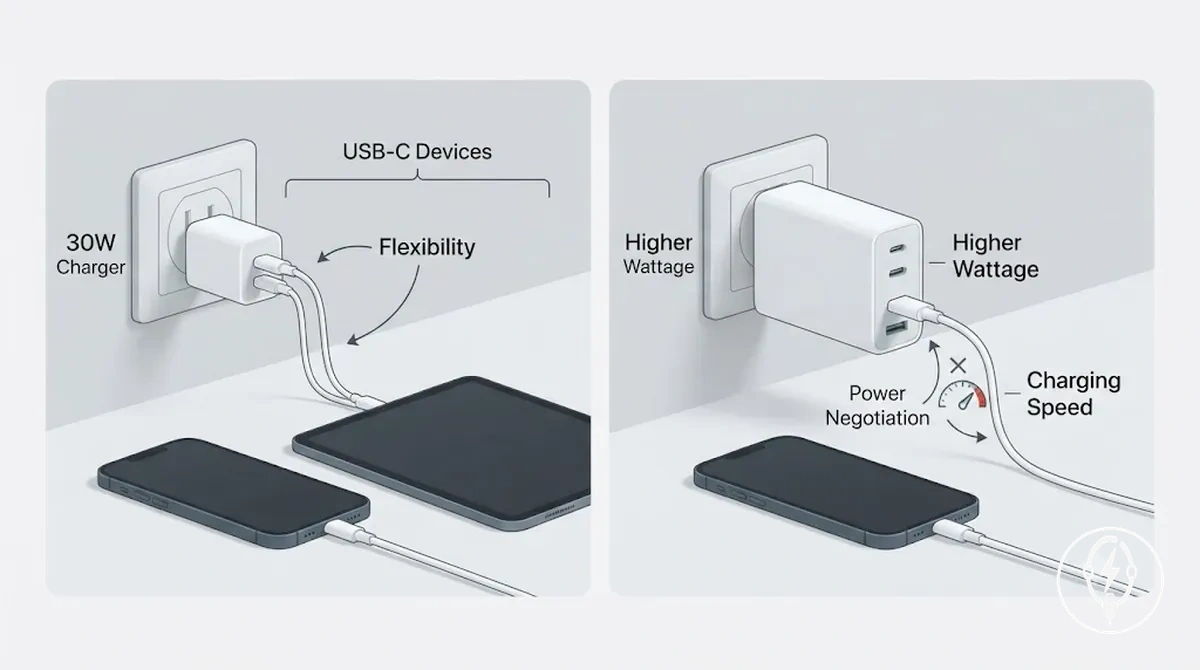
A 30W charger or higher-wattage charger can provide practical value when the same adapter also powers tablets or other compatible USB-C devices that require more available power than an iPhone. According to Apple Support, iPhone power negotiation automatically determines the charging power accepted by the device, and charging conditions such as battery temperature and heat management can reduce charging power to protect the battery. For example, a 30W USB-C Power Delivery adapter can charge both a compatible iPhone and a compatible USB-C tablet on different occasions, whereas a compact 20W adapter remains easier to carry for iPhone-only travel. The comparison below separates flexibility benefits from actual iPhone charging-speed expectations.
| Extra wattage helps when | Extra wattage may not change |
|---|---|
| One adapter is shared with compatible USB-C devices that require more than 20W of available adapter output. | iPhone charging speed beyond the supported charging limit established through iPhone power negotiation. |
| A 30W charger is used for greater flexibility across a phone, tablet, or other compatible USB-C devices. | Battery heat management, because the iPhone adjusts charging behaviour automatically under operating conditions specified by Apple. |
| The value trade-off favours carrying one flexible charger instead of separate adapters for multiple devices. | Travel portability, since higher-wattage chargers are often physically larger than compact 20W chargers. |
| Extra adapter capacity supports future or shared USB-C charging needs without changing the iPhone charging setup. | Actual iPhone charging performance when an existing 20W or higher USB-C Power Delivery charger already satisfies Apple's fast-charging requirement. |
Fast Charging Cables for iPhone
Fast charging cables for iPhone are compatibility components that complete the supported charging path between a compatible iPhone and a USB-C Power Delivery power adapter, not merely physical connectors. According to Apple Support, iPhone 15 and later require a USB-C to USB-C cable, while supported earlier iPhone models require a USB-C to Lightning cable with a compatible USB-C Power Delivery adapter for wired fast charging. The cable therefore determines fast-charging compatibility as well as physical connection.
The cable therefore determines fast-charging compatibility as well as physical connection.
The supported charging path depends on matching the cable to the iPhone connector, maintaining proper connector fit, and using a compatible cable in good cable condition. Apple specifies that fast charging requires a USB-C Power Delivery adapter rated at 20 W or higher together with the correct cable for the iPhone model. For example, according to Apple Support, an iPhone 15 paired with a 20 W USB-C Power Delivery adapter and a USB-C to USB-C cable supports fast charging, while an iPhone 14 paired with the same 20 W adapter requires a USB-C to Lightning cable instead. Using the wrong cable, such as replacing the required USB-C charging path with a USB-A cable, prevents the supported fast-charging configuration even though standard wired charging may still be available.
The table below organises fast charging cables for iPhone by connector path so cable selection is based on compatibility rather than appearance.
The table below organises fast charging cables for iPhone by connector path so cable selection is based on compatibility rather than appearance. For detailed comparisons of construction, materials, and broader cable categories that do not change fast-charging compatibility, see fast charging cable types.
| Cable path | iPhone connector situation | Adapter side | Fast-charging relevance |
|---|---|---|---|
| USB-C to Lightning | Earlier supported iPhone models with a Lightning connector | USB-C Power Delivery adapter | Apple specifies this cable path for fast charging on compatible Lightning-based iPhones. |
| USB-C to USB-C | iPhone 15 and later with a USB-C connector | USB-C Power Delivery adapter | Required cable path for fast charging on compatible USB-C iPhone models according to Apple. |
| Wrong cable | Cable connector does not match the iPhone charging port or supported charging path | Any adapter | The supported fast-charging path is not established, so charging typically falls back to standard wired charging rather than Apple's supported fast-charging configuration. |
USB-C to Lightning Cables for Earlier iPhone Models
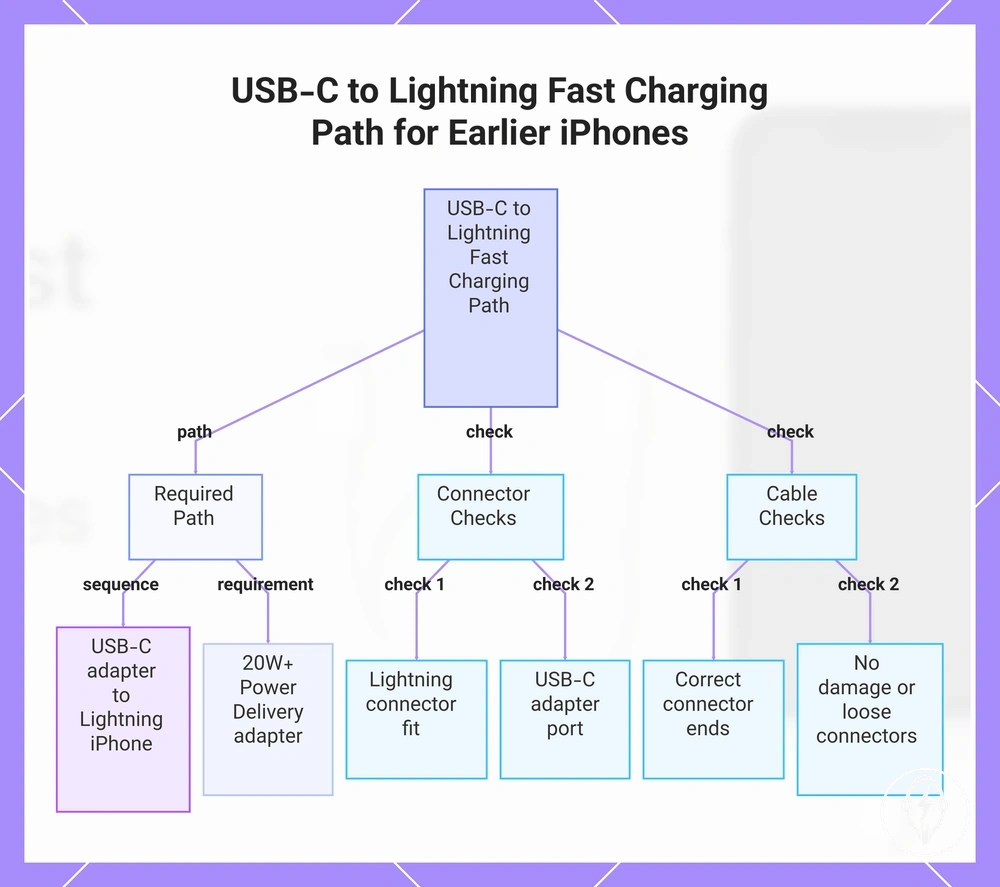
A USB-C to Lightning cable is the correct cable path for earlier iPhone models that support Apple's fast charging through a Lightning connector. According to Apple Support, compatible iPhone models with a Lightning port require a USB-C Power Delivery adapter rated at 20 W or higher together with a USB-C to Lightning cable to support wired fast charging. The required compatibility path is USB-C adapter port → USB-C to Lightning cable → Lightning iPhone. :contentReference[oaicite:0]{index=0}
The required compatibility path is USB-C adapter port → USB-C to Lightning cable → Lightning iPhone .
Cable support and cable condition both affect fast charging eligibility, because the charging path must match the Lightning connector and the cable must reliably carry USB Power Delivery communication. According to Apple Support, a compatible USB-C Power Delivery adapter alone is not sufficient if the cable path is incorrect. For example, a 20 W USB-C Power Delivery adapter connected through a USB-A to Lightning cable instead of a USB-C to Lightning cable can charge a compatible iPhone, but it does not meet Apple's supported fast-charging configuration. :contentReference[oaicite:1]{index=1}
According to Apple Support, a compatible USB-C Power Delivery adapter alone is not sufficient if the cable path is incorrect.
Use these checks to verify that USB-C to Lightning cables for earlier iPhone models meet the required fast-charging path:
- Lightning connector fit: Confirm the iPhone has a Lightning charging port and the connector inserts securely.
- USB-C adapter port: Connect the cable to a USB-C Power Delivery adapter rated at 20 W or higher, as specified by Apple for compatible fast charging.
- Cable support: Verify the cable has a USB-C connector on the charger end and a Lightning connector on the iPhone end.
- Cable condition: Replace cables with visible damage or loose connectors because poor cable condition can interrupt the supported charging path.
This chart shows the required cable path, connector checks, and cable checks to verify fast charging compatibility for earlier iPhone models with a Lightning port.
USB-C Cables for Newer iPhone Models
USB-C cables for newer iPhone models must pair a USB-C iPhone with a USB-C power adapter that supports USB Power Delivery to enable Apple's supported fast-charging configuration. According to Apple Support, iPhone 15 and later models use a USB-C connector and support wired fast charging with a 20 W or higher USB-C Power Delivery adapter and a compatible USB-C charging cable. A secure connector fit between the USB-C cable and the USB-C power adapter is therefore the required starting point for the supported charging path. :contentReference[oaicite:0]{index=0}
This means cable fit and charging performance are related but not identical .
Cable quality, Power Delivery support, and adapter wattage determine whether the connected hardware can deliver the expected charging performance after the physical connection is established. According to Apple Support, a USB-C Power Delivery adapter rated at 20 W or higher is required for supported fast charging, while the USB-C cable must remain compatible and undamaged. For example, a newer iPhone connected with a compatible USB-C cable and a 20 W USB-C Power Delivery adapter can use Apple's supported fast-charging path, whereas replacing the cable with one that does not support the required charging path can prevent fast charging even though the connector still fits. This means cable fit and charging performance are related but not identical. :contentReference[oaicite:1]{index=1}
According to Apple Support, a USB-C Power Delivery adapter rated at 20 W or higher is required for supported fast charging, while the USB-C cable must remain compatible and undamaged.
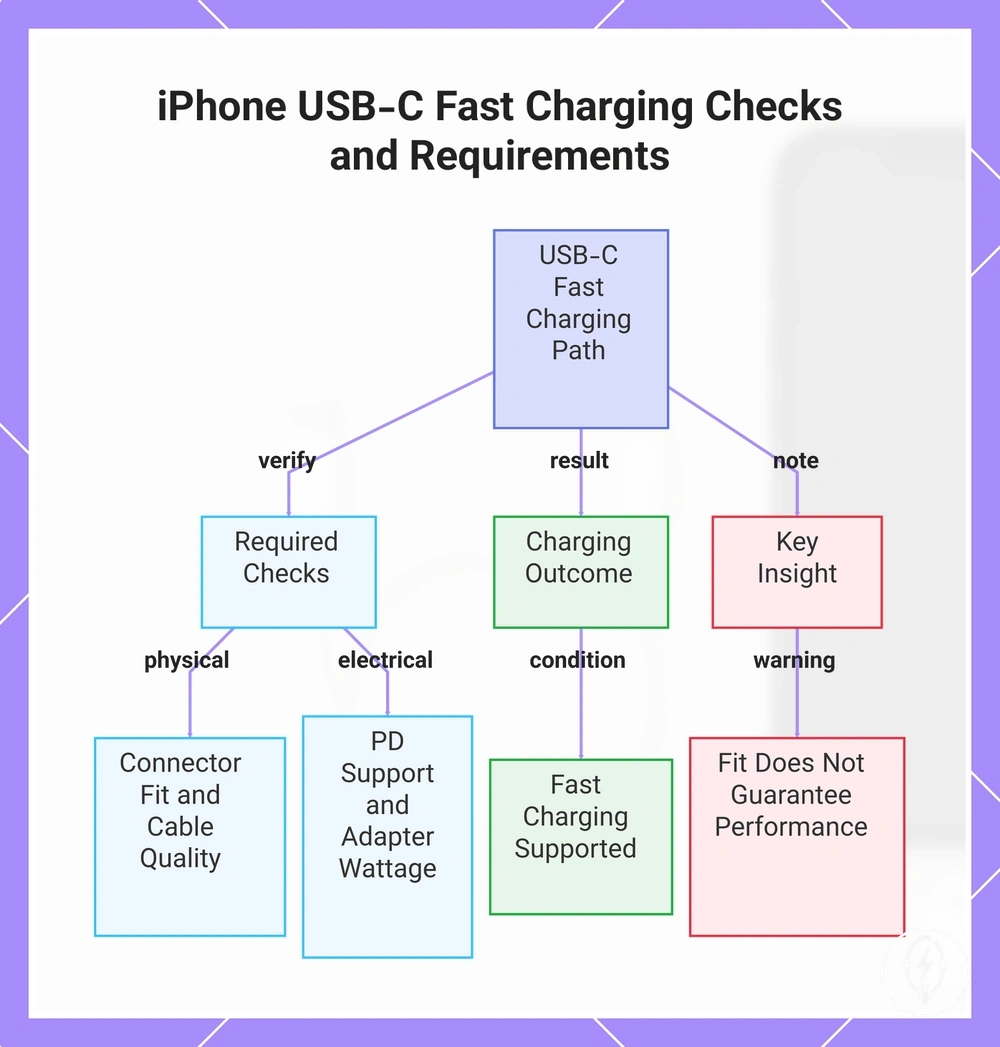
Use these checks for USB-C cables for newer iPhone models to confirm that both the cable and adapter meet the supported charging requirements:
- USB-C connector fit: Confirm the USB-C cable fits securely in both the newer iPhone model and the USB-C power adapter.
- Power Delivery support: Verify that the USB-C power adapter supports USB Power Delivery and is rated at 20 W or higher for Apple's supported fast charging.
- Cable quality: Use a compatible USB-C charging cable with no visible damage or loose connectors.
- Charging outcome: When connector fit, cable quality, Power Delivery support, and adapter wattage all meet the required conditions, the charging path supports fast charging on compatible newer iPhone models.
This chart shows the key verification steps and result for fast charging with USB-C on iPhone 15 and later models.
Choosing a Fast Charger Set or Separate Accessories
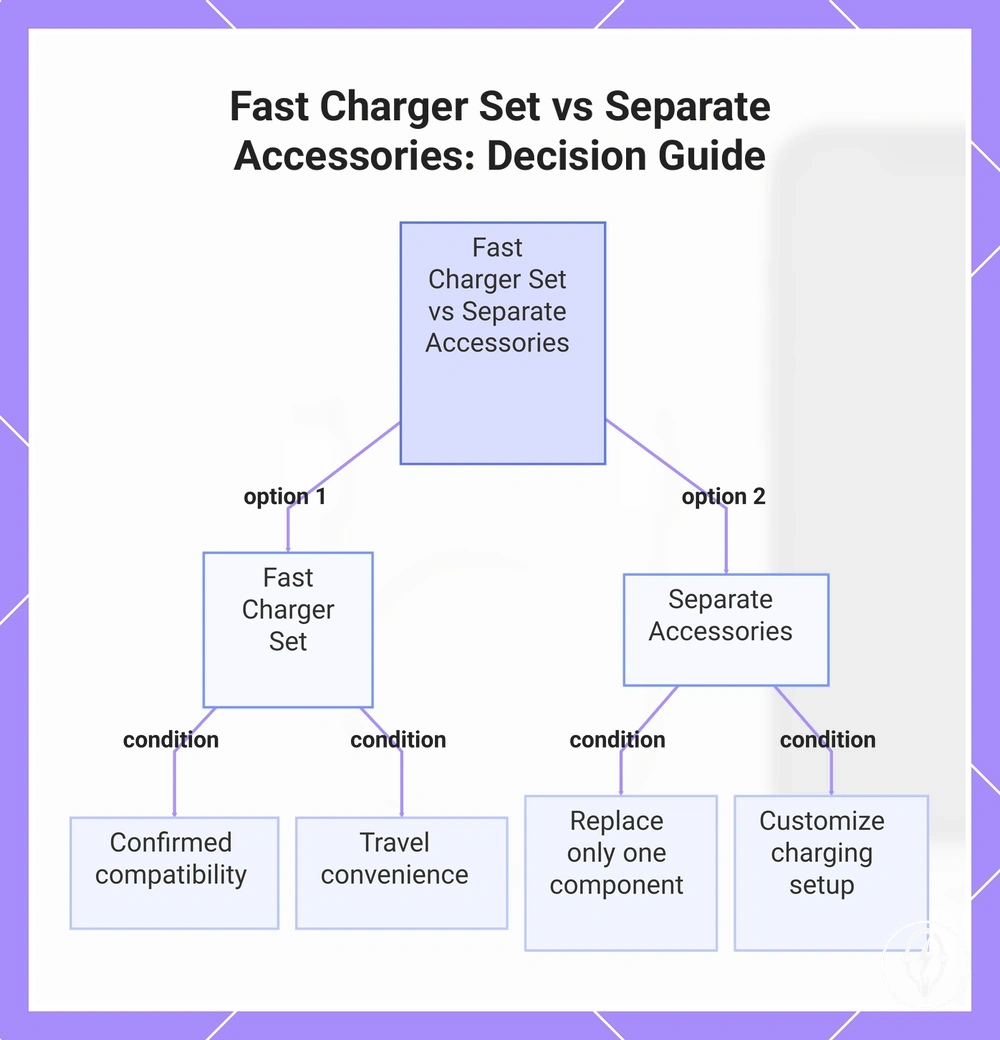
Choosing a fast charger set or separate accessories depends on whether you need a complete charging solution or only one replacement component. A fast charger set is the better choice when you need both the cable and adapter and want confirmed compatibility with fewer purchasing decisions, while separate accessories are more suitable when only the cable or adapter requires replacement or when you want to customise your charging setup. According to Apple, iPhone fast charging requires a compatible USB-C Power Delivery power adapter rated at 20 W or higher together with the correct cable for the iPhone model, making compatibility the primary selection criterion and framing the decision as one of compatibility and value. :contentReference[oaicite:0]{index=0}
This comparison shows the trade-off between bundled convenience and component-level control.
A fast charger set reduces buying friction because the cable and adapter are supplied as a compatible pair, making it practical for a first fast-charging setup or a travel kit. Separate accessories provide greater control when replacing only one component because you can choose a specific adapter wattage, cable connector, cable length, level of compactness, or multi-device flexibility without replacing parts that still function correctly. For example, keeping an existing compatible 20 W USB-C Power Delivery adapter and replacing only a damaged USB-C cable usually avoids purchasing a second adapter, while replacing both components with a charger bundle can simplify compatibility checks for a completely new charging setup. This comparison shows the trade-off between bundled convenience and component-level control. :contentReference[oaicite:1]{index=1}
The checklist below summarises the key decision criteria before product selection.
Choosing a fast charger set or separate accessories becomes easier when the decision is organised around the intended charging use case rather than the product itself. The checklist below summarises the key decision criteria before product selection.
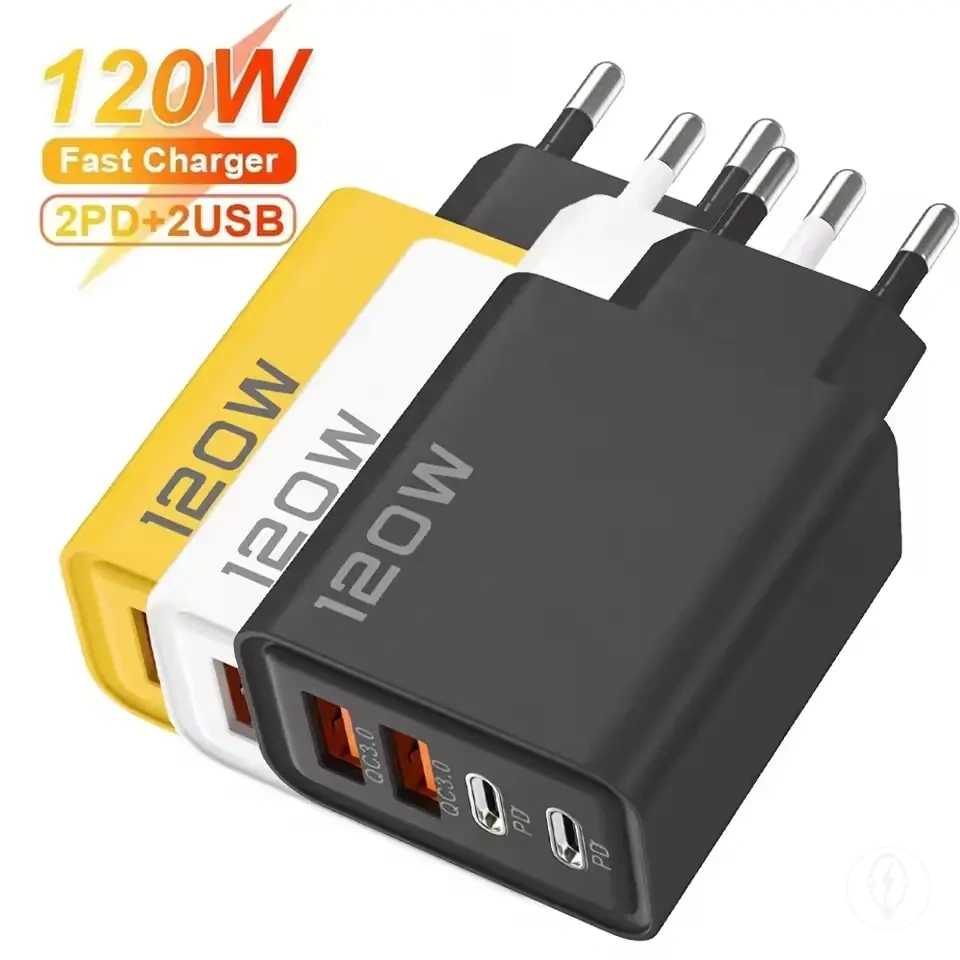
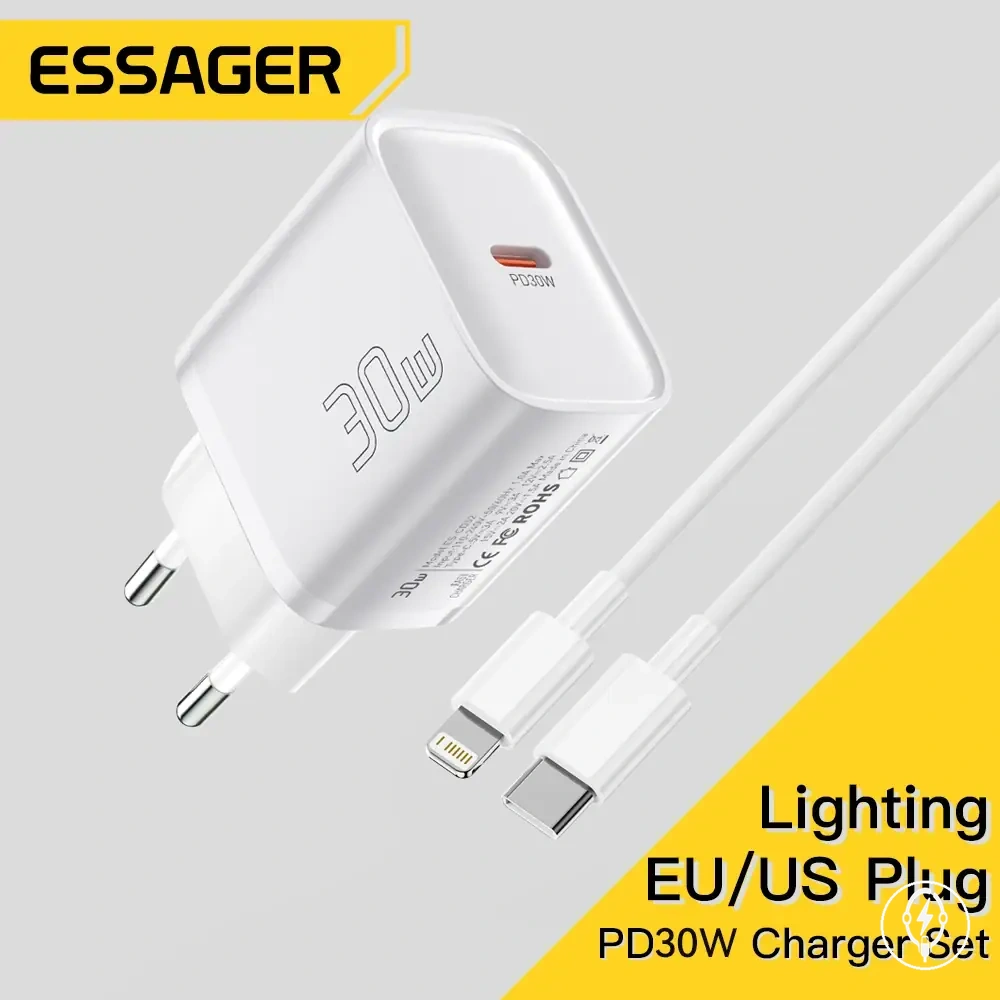
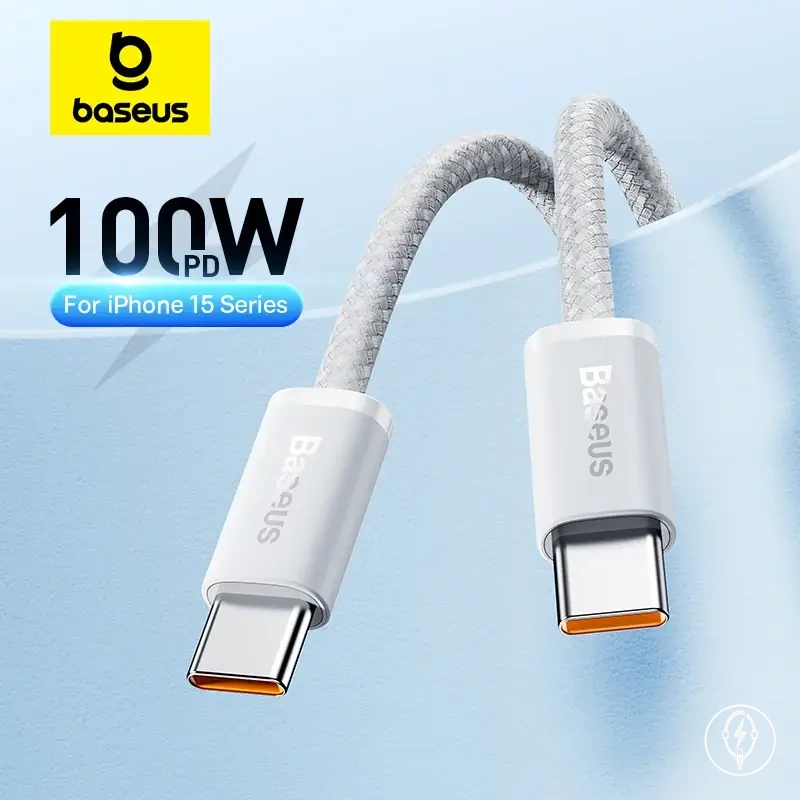
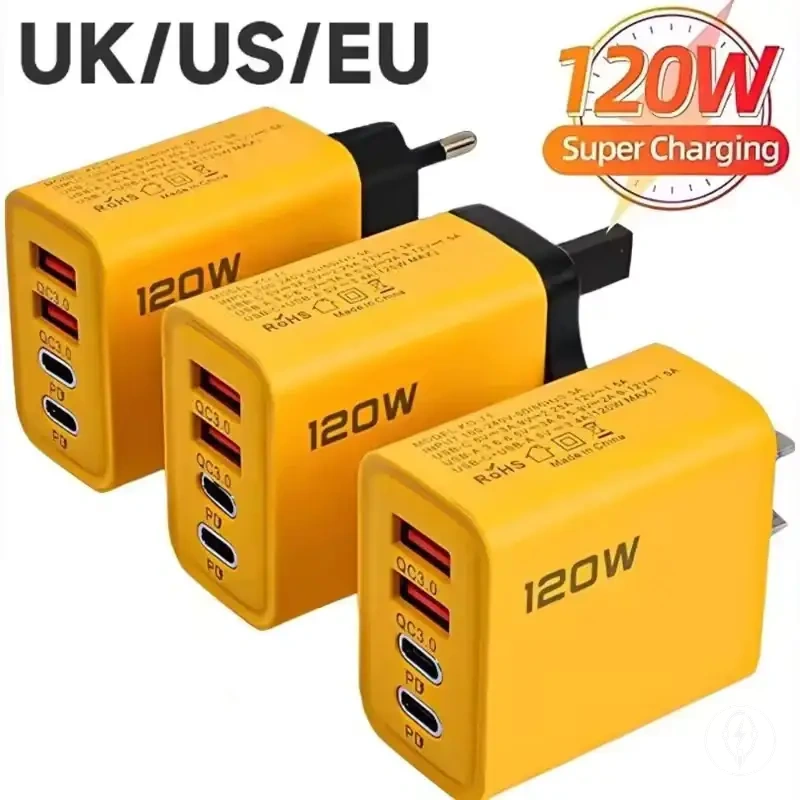
The products below are useful examples for comparing available options.
The products below are useful examples for comparing available options. Before buying, check that the compatibility criteria, key features, and product details match your needs.
- Choose a fast charger set when you need both the cable and adapter and want confirmed compatibility with reduced buying friction.
- Choose separate accessories when the replacement need involves only the cable or only the adapter.
- Choose separate accessories when you want a specific cable connector, cable length, adapter wattage, or greater multi-device flexibility.
- Choose a fast charger set when portability, compactness, and travel convenience are more important than customising individual charging components.
This chart compares the two purchasing options for iPhone fast charging, showing when to choose a bundled set and when to buy separate components.
Using iPhone Fast Charging Accessories Correctly
Using a compatible iPhone fast charging setup correctly helps prevent slow charging caused by mismatched or poorly used accessories. According to Apple, a compatible iPhone fast charging setup requires a supported iPhone model, a USB-C Power Delivery power adapter rated at 20 W or higher, and the correct charging cable for the iPhone connector. Correct use therefore depends on matching known compatible components before charging begins. :contentReference[oaicite:0]{index=0}
Correct use therefore depends on matching known compatible components before charging begins.
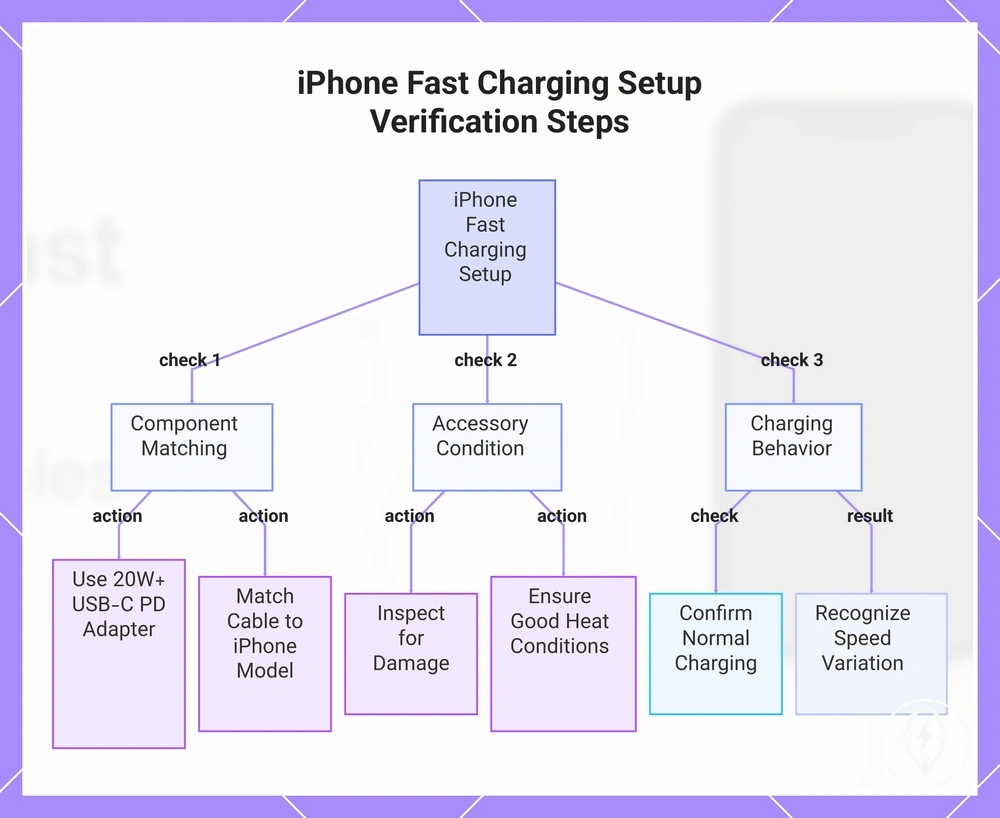
Using iPhone fast charging accessories correctly is a simple verification process rather than a speed test. Follow the steps below to confirm that the charging path is configured correctly, remembering that the checks verify the setup rather than the exact charging speed.
- Connect the correct adapter. Use a USB-C Power Delivery power adapter rated at 20 W or higher and check that it is securely connected to mains power. A stable power connection confirms the charging setup can support Apple's fast-charging requirements. :contentReference[oaicite:1]{index=1}
- Match the correct cable to the iPhone model. Use a USB-C to USB-C cable for iPhone 15 and later, or a USB-C to Lightning cable for compatible earlier iPhone models. Matching the cable to the connector prevents slow charging caused by an incompatible charging path. :contentReference[oaicite:2]{index=2}
- Check for damaged accessories. Inspect the cable, connectors, and adapter for frayed insulation, bent pins, loose fittings, or other visible damage before charging. Replace damaged accessories instead of continuing to use them so the charging path remains reliable.
- Verify heat conditions. Charge the iPhone in a well-ventilated location and avoid covering the phone or charger if either becomes noticeably warm. Apple notes that charging performance can be managed automatically when temperature increases, so charging speed may vary under hotter operating conditions. :contentReference[oaicite:3]{index=3}
- Confirm normal charging behaviour. If all compatible components are connected correctly, recognise that charging speed may still vary because battery level, device activity, and operating temperature influence normal charging behaviour. A correctly matched setup confirms compatibility even when charging performance changes during use.
Travel, desk, and overnight use can all support a compatible iPhone fast charging setup when the same matched accessories are used correctly. For example, using the same compatible 20 W or higher USB-C Power Delivery adapter at a desk and while travelling maintains the supported charging path, while overnight charging behaviour may differ because the iPhone adjusts charging according to operating conditions. Continue using undamaged accessories and maintain suitable heat conditions for safe everyday charging. :contentReference[oaicite:4]{index=4}
Continue using undamaged accessories and maintain suitable heat conditions for safe everyday charging.
This chart shows the three main verification checks for using iPhone fast charging accessories correctly, from component matching to understanding normal charging behavior.
Fast Charging Safety, Heat, and Battery Considerations
Fast charging safety, heat, and battery considerations depend on using a compatible iPhone, a USB-C Power Delivery power adapter rated at 20 W or higher, the correct charging cable, and suitable charging conditions. According to Apple, compatible iPhones automatically manage charging performance as temperature changes to help protect the battery during fast charging. Normal warmth while charging is expected, whereas persistent excessive heat, visible accessory damage, or abnormal charging behaviour are warning signs that require attention. :contentReference[oaicite:0]{index=0}
According to Apple, compatible iPhones automatically manage charging performance as temperature changes to help protect the battery during fast charging.
Heat buildup is affected by charger quality, cable condition, ambient temperature, and whether heat can dissipate from the charging surface or protective case. According to Apple, charging performance may be reduced automatically if the iPhone exceeds its normal operating temperature range, helping limit additional heat during charging. For example, using a compatible 20 W USB-C Power Delivery adapter with an undamaged cable on a hard, well-ventilated surface generally creates safer charging conditions than charging under bedding or with a frayed cable. If an accessory shows exposed wiring, loose connectors, burn marks, or continues to become excessively hot during normal use, stop using it until it has been replaced. :contentReference[oaicite:1]{index=1}
Battery considerations should be interpreted with qualified language because fast charging alone is not evidence of abnormal battery damage.
Battery considerations should be interpreted with qualified language because fast charging alone is not evidence of abnormal battery damage. Apple states that iPhone charging software adjusts charging behaviour according to temperature and operating conditions, while battery capacity gradually decreases over repeated charge cycles regardless of the charging method used. For additional guidance on selecting compatible charging equipment, see safe fast charging accessories, which explains accessory-related safety considerations in greater detail. :contentReference[oaicite:2]{index=2}
Use these decision signals to distinguish normal charging behaviour from situations where charging should be stopped.
Fast charging safety, heat, and battery considerations become easier to evaluate when heat conditions and accessory quality are checked before assuming a charging fault. The checklist below organises the main safety checks, and further explanation of long-term charging behaviour is available in fast charging and battery health. Use these decision signals to distinguish normal charging behaviour from situations where charging should be stopped.
Before buying, check that the compatibility criteria, key features, and product details match your needs.
The products below are useful examples for comparing available options. Before buying, check that the compatibility criteria, key features, and product details match your needs.
- Compatible charger: Use a USB-C Power Delivery power adapter rated at 20 W or higher; incompatible or poor-quality chargers can reduce charging reliability.
- Cable condition: Replace cables with fraying, exposed conductors, cracked insulation, or loose connectors because physical damage increases charging risk.
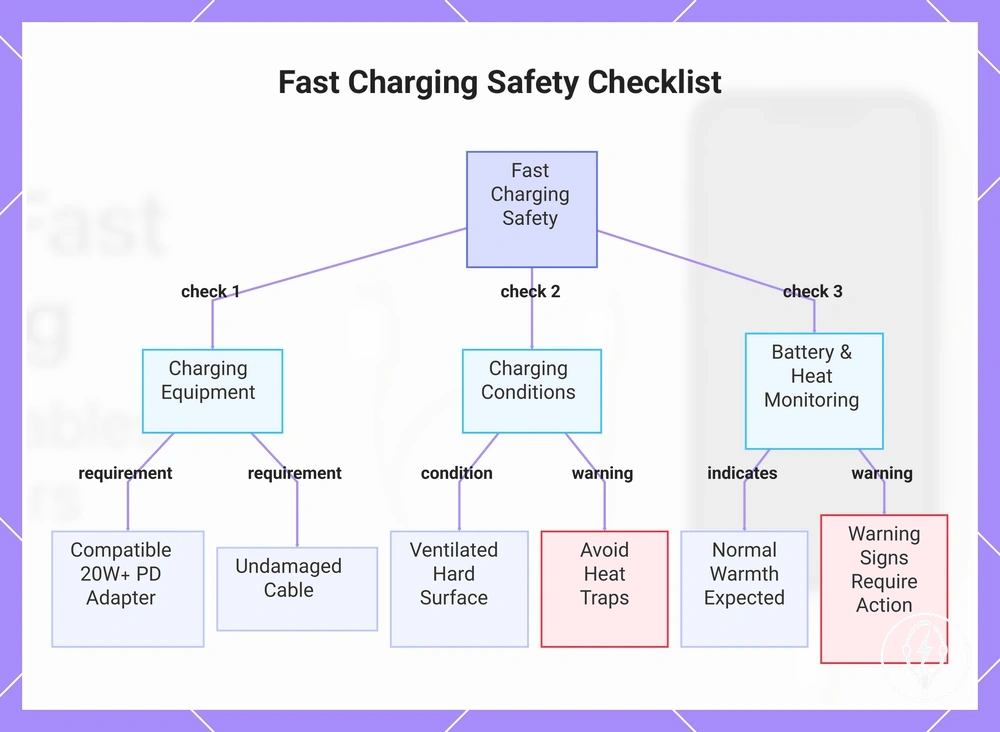
- Heat buildup: Charge on a firm, ventilated surface and remove conditions that trap heat if the iPhone or charger becomes unusually hot.
- Warning signs: Stop using an accessory if it produces a burning smell, repeated disconnections, visible damage, or persistent excessive heat during normal charging.
- Battery health: Normal warmth is expected during fast charging, but repeated overheating or damaged accessories should be addressed promptly to support safe charging conditions.
This chart shows the main safety checks for fast charging, covering equipment compatibility, charging conditions, and heat/battery monitoring.