
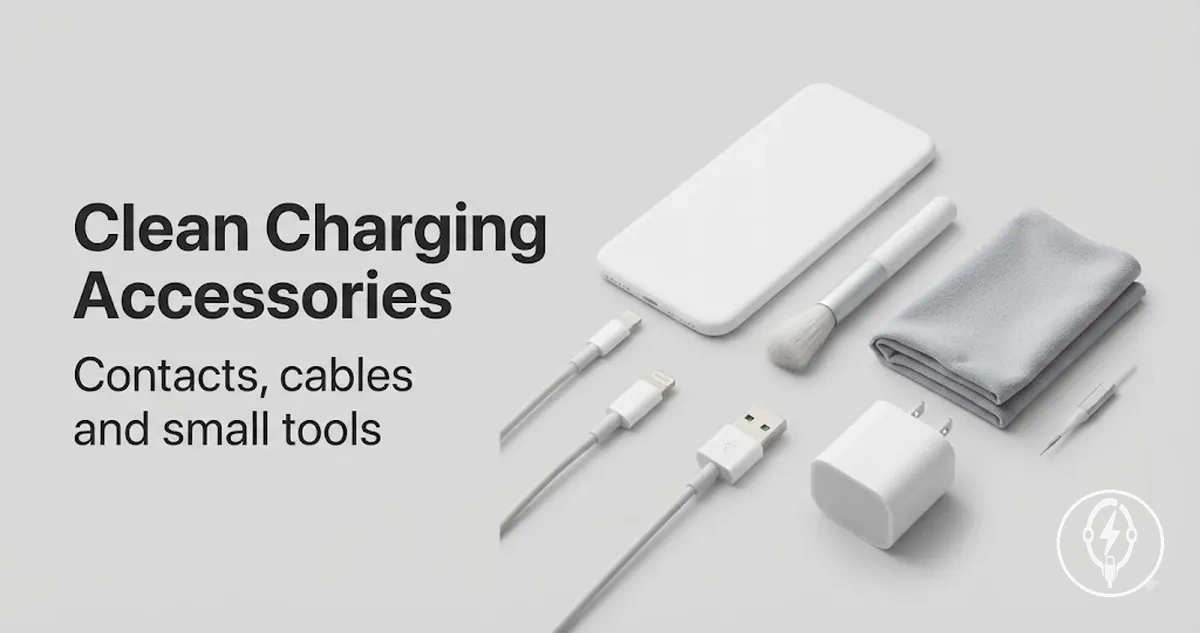
iPhone Charging Accessory Cleaning and Contact Maintenance
iPhone charging accessory cleaning is routine maintenance that removes dust, lint, and surface residue from iPhone charging accessories, the charging port, charging contacts, and connector ends to help maintain contact quality and charging reliability. It is intended to preserve normal operation when removable buildup is present, whereas physical damage, corrosion, or accessory failure require a different response. iPhone charging accessory cleaning is maintenance rather than repair.
iPhone charging accessory cleaning is maintenance rather than repair.
When an iPhone charges intermittently, disconnects after slight movement, or a cable no longer seats securely, the charging port or connector ends may contain dust, lint, or residue that interferes with charging contacts. Cleaning is useful when removable debris or surface contamination is a plausible cause because restoring direct contact can improve charging reliability, but it is unlikely to resolve problems caused by bent contacts, visible damage, corrosion, or an internally failed charging accessory. The following guidance focuses on safe cleaning, maintenance tools, and the practical limits of routine maintenance.
A common myth is that cleaning fixes every charging problem.
A common myth is that cleaning fixes every charging problem. The practical reality is that iPhone charging accessory cleaning only removes loose buildup, while damage, corrosion, or failed accessories usually require replacement or professional assessment rather than additional cleaning. For broader maintenance and accessory guidance, visit the iPhone charging accessories hub before choosing cleaning tools or deciding whether cleaning remains an appropriate solution.
Table of Contents
What Cleaning Can and Cannot Fix
Cleaning can remove cleanable buildup such as loose dust, lint, surface residue, and other debris from charging port openings, charging contacts, and connector ends, but it cannot repair damaged parts. Cleanable buildup may improve contact quality when it is preventing reliable electrical contact, whereas corrosion, bent contacts, damaged connector ends, or torn cable jackets are physical conditions that routine cleaning should not be expected to fix.
A common misconception is that every intermittent charging problem is caused by dirt.
A common misconception is that every intermittent charging problem is caused by dirt. In practice, intermittent charging can result from removable debris, but it can also result from corrosion, bent contacts, worn connector ends, or cable damage, so cleaning only helps when cleanable buildup is the underlying condition. For more detail about these contact surfaces and connector components, see charging connectors and contacts. If corrosion or bent contacts are visible, stop cleaning because the condition indicates physical deterioration rather than removable contamination.
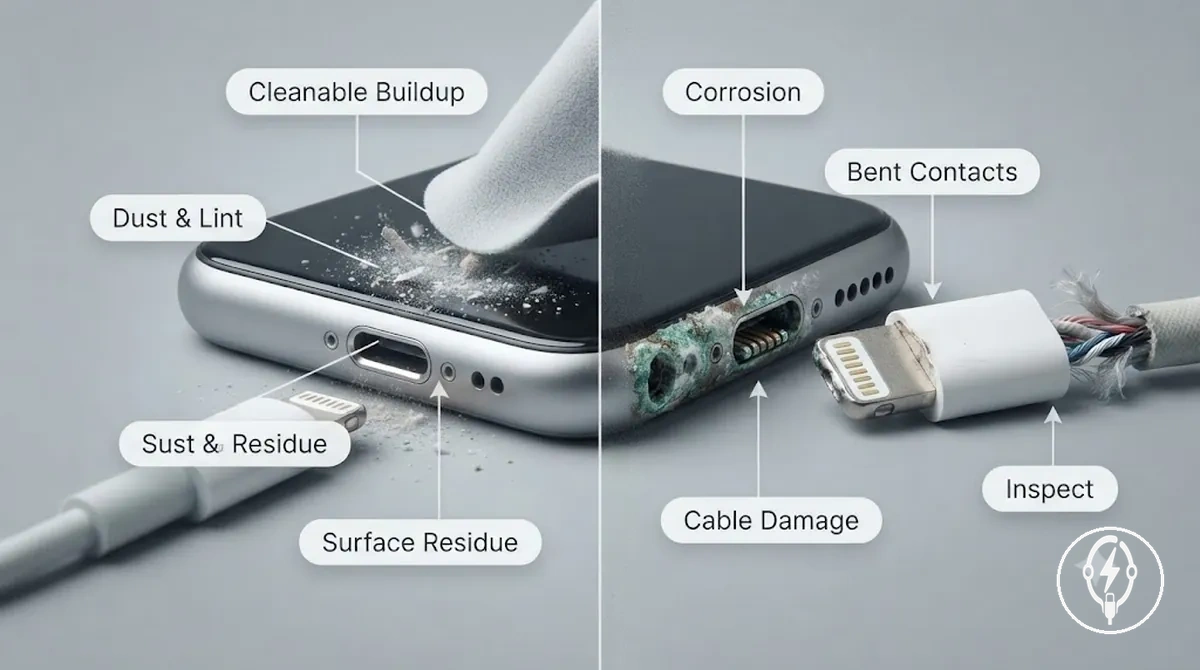
What Cleaning Can and Cannot Fix is easier to judge by separating removable contamination from visible damage before selecting any cleaning method:
- Cleanable: Dust, lint, loose debris, or light surface residue inside the charging port opening or on connector ends that can interfere with charging contacts.
- Not cleanable: Corrosion on charging contacts because the contact material has deteriorated rather than accumulated removable residue.
- Not cleanable: Bent contacts or physically damaged connector ends because cleaning cannot restore their original shape or alignment.
- Not cleanable: Cracked, split, or frayed cable jackets because structural damage requires cable replacement rather than surface cleaning.
- Inspect before continuing: If intermittent charging continues after all visible debris and surface residue have been removed, the cause is likely beyond routine cleaning and should be inspected before further maintenance.
Dust, Lint, and Contact Buildup
Dust, Lint, and Contact Buildup are removable surface contaminants that can accumulate on a charging port opening, connector end, or cable surface. These buildup types become relevant only when they interfere with contact quality or reduce secure cable handling, rather than indicating permanent damage.
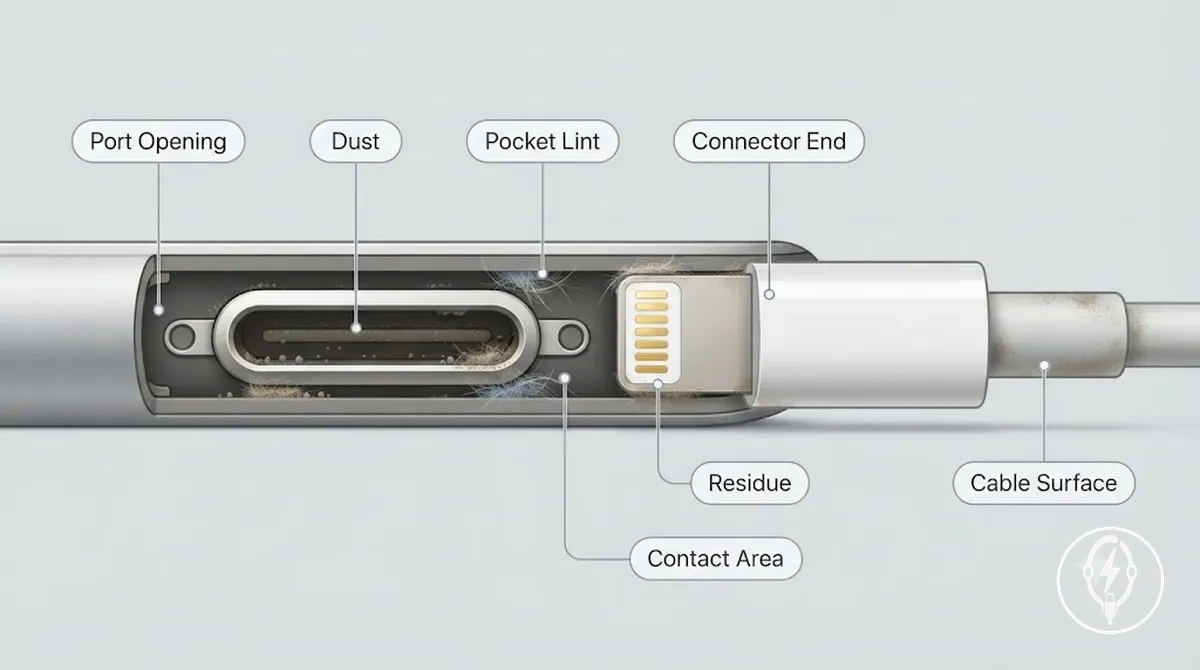
Dust, Lint, and Contact Buildup can be identified by the affected part and the condition it may create:
- Port opening: Dust or pocket lint may collect inside the port opening and create an obstruction that can prevent the connector from seating completely, reducing contact quality.
- Connector end: Contact buildup or light residue on the connector end may contribute to a weak connection if it separates the contact surfaces during charging.
- Cable surface: Grime or surface dirt on the cable surface may reduce grip and make the cable less comfortable to handle, even though it does not directly affect the internal conductors.
- Contact area: Fine debris around the contact area may interrupt reliable electrical contact only while it remains between the connector end and the port contacts.
Damage, Corrosion, and Replacement Limits
Damage, Corrosion, and Replacement Limits define the safety boundary where routine cleaning should stop because physical deterioration cannot be removed by cleaning. A common myth is that repeated cleaning restores every charging accessory, but visible corrosion, bent contacts, heat marks, a frayed cable jacket, or a loose connector indicate damage rather than removable contamination. When these conditions are present, the safe next step changes from routine cleaning to further inspection and, if the condition persists, possible replacement or professional help.
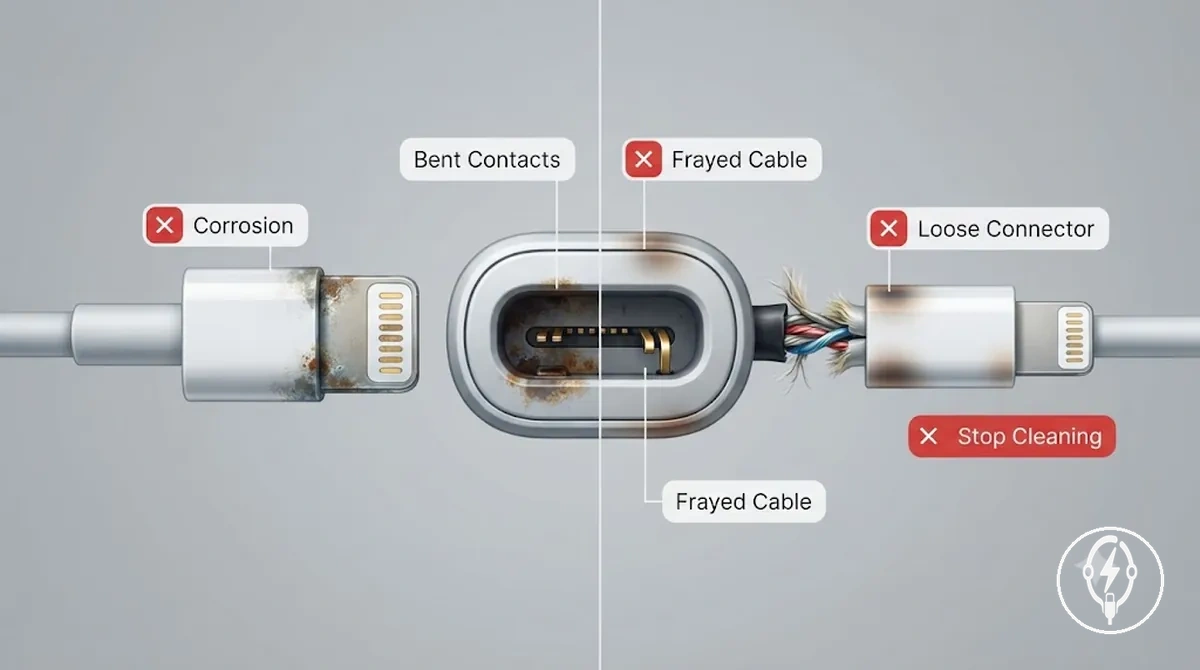
Damage, Corrosion, and Replacement Limits can be recognised by the following stop signals, which identify conditions where routine cleaning should not continue:
Safe Tools for Charging Port and Connector Cleaning
Safe Tools for Charging Port and Connector Cleaning are dry, soft, low-pressure tools selected according to the part being cleaned and the visible condition. A soft brush, microfiber cloth, air blower, and a non-metal tool used cautiously are appropriate for specific maintenance tasks, while liquids inside the charging port, metal tools, and excessive contact pressure increase the risk of contact damage. For the safest starting point, power the iPhone off before cleaning and use only a dry method matched to the charging port, connector end, or cable surface.
Safe tool selection depends on whether the goal is removing loose dust, lifting visible debris, or wiping residue from an external surface.
Safe tool selection depends on whether the goal is removing loose dust, lifting visible debris, or wiping residue from an external surface. A soft brush or air blower is suitable for loose dust without direct scraping, while a dry microfiber cloth is intended for residue on the cable surface or connector exterior. A non-metal tool should only be used with light pressure when visible debris cannot be removed by brushing or air alone because unnecessary force can damage charging contacts. If corrosion, liquid contamination, or physical damage is visible, routine cleaning should stop because the condition extends beyond normal maintenance.
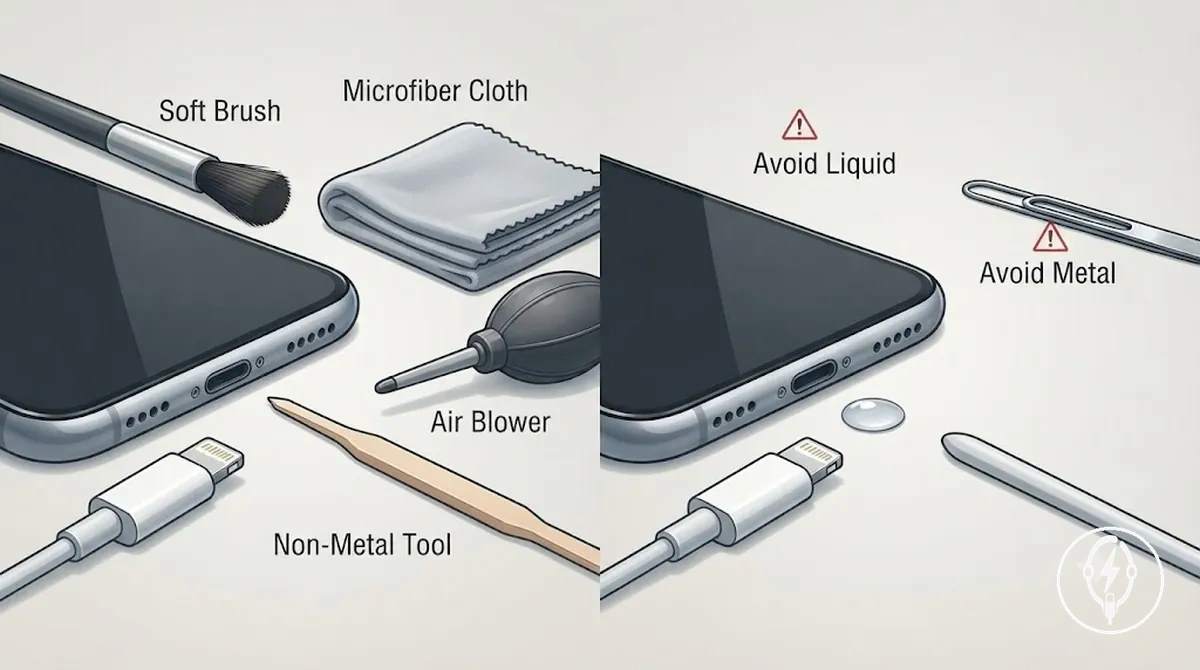
Safe Tools for Charging Port and Connector Cleaning become easier to compare when each tool is matched with its intended use, safe-use condition, and the primary risk to avoid:
| Tool type | Where it may fit | Safe-use condition | Risk to avoid |
|---|---|---|---|
| Soft brush | Charging port opening | Dry dust removal using light contact pressure | Scrubbing or pressing against contacts |
| Microfiber cloth | Cable surface and connector exterior | Dry wiping of external residue only | Pushing cloth fibres into the charging port |
| Air blower | Charging port opening and connector recesses | Short, controlled bursts to dislodge loose debris | High-pressure airflow that forces debris deeper |
| Non-metal tool | Connector end or port with stubborn visible debris | Careful use with minimal pressure after softer dry methods | Applying force to charging contacts |
| Liquid or metal tool | Inside the charging port | Avoid for routine cleaning | Corrosion, scratching, or contact damage |
Tools and Liquids to Avoid
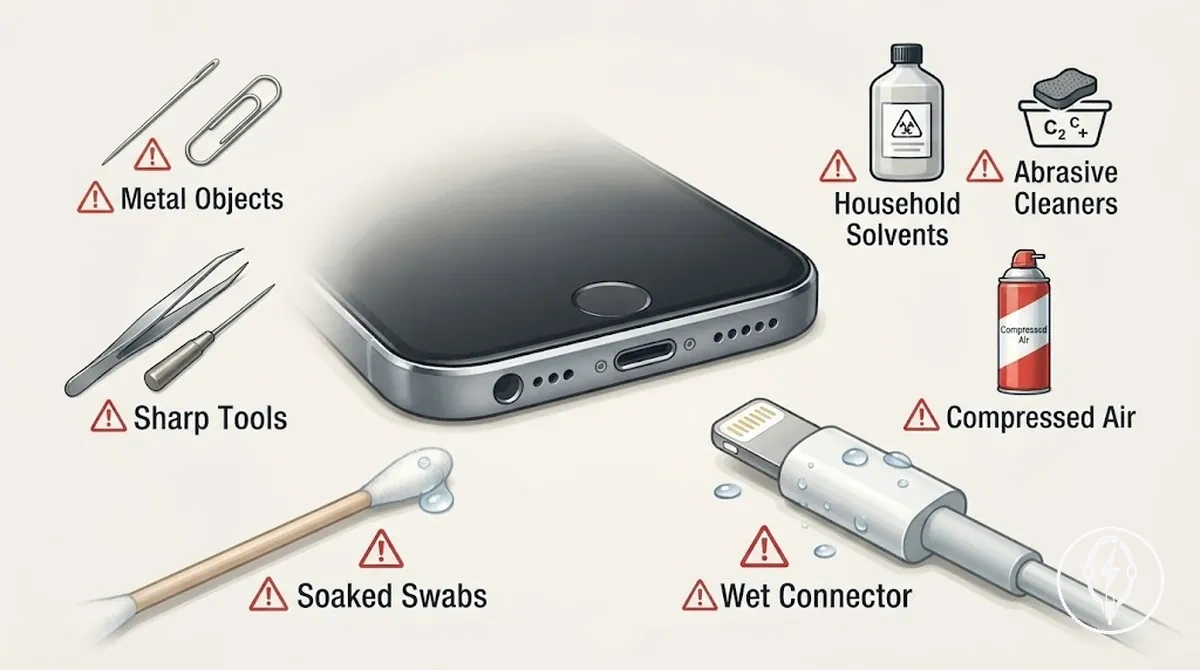
Tools and Liquids to Avoid are tool and liquid categories that increase the risk of contact damage or moisture contamination before cleaning begins. The charging contact area is easily affected by scraping, excessive force, or liquid exposure, so the following caution list focuses on preventing contact damage before any cleaning method is attempted.
Brushes, Blowers, and Non-Metal Cleaning Tools
Brushes, Blowers, and Non-Metal Cleaning Tools should be evaluated by their cleaning attributes before they are used on an iPhone charging port or connector end. A suitable tool has soft bristles or a non-metal contact surface, is intended for dry use, allows controlled pressure, and can reach narrow access points without forceful scraping. Suitability depends on softness, dryness, and control rather than on the tool alone.
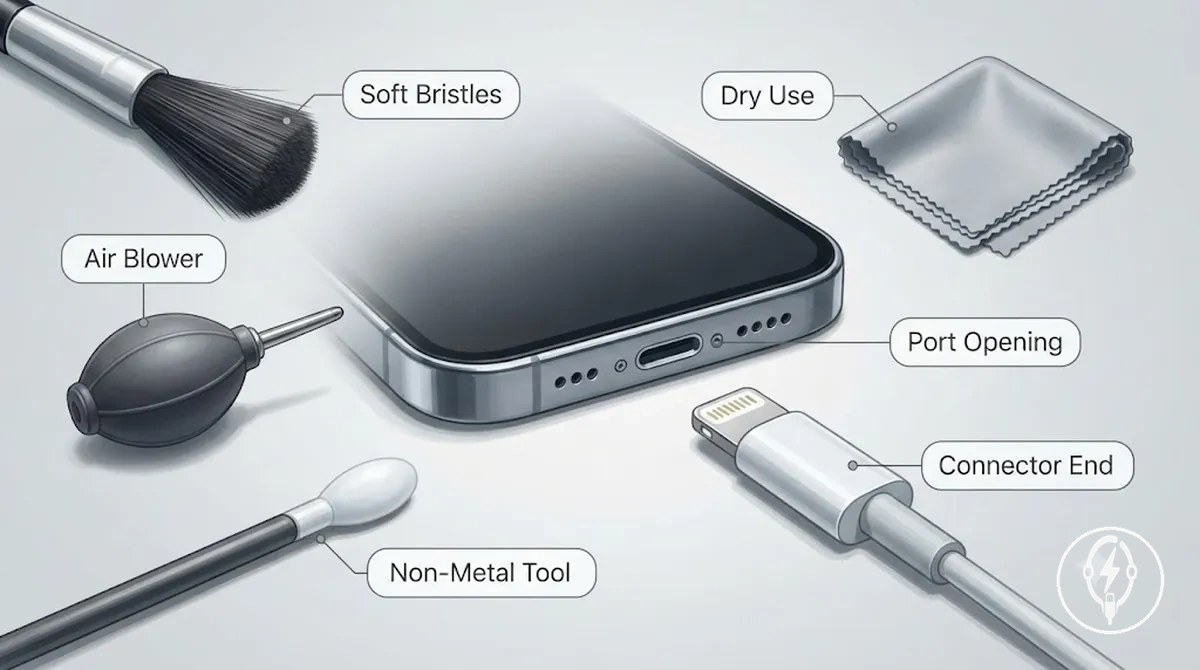
Brushes, Blowers, and Non-Metal Cleaning Tools can be checked against the following criteria before cleaning:
How to Clean an iPhone Charging Port Safely
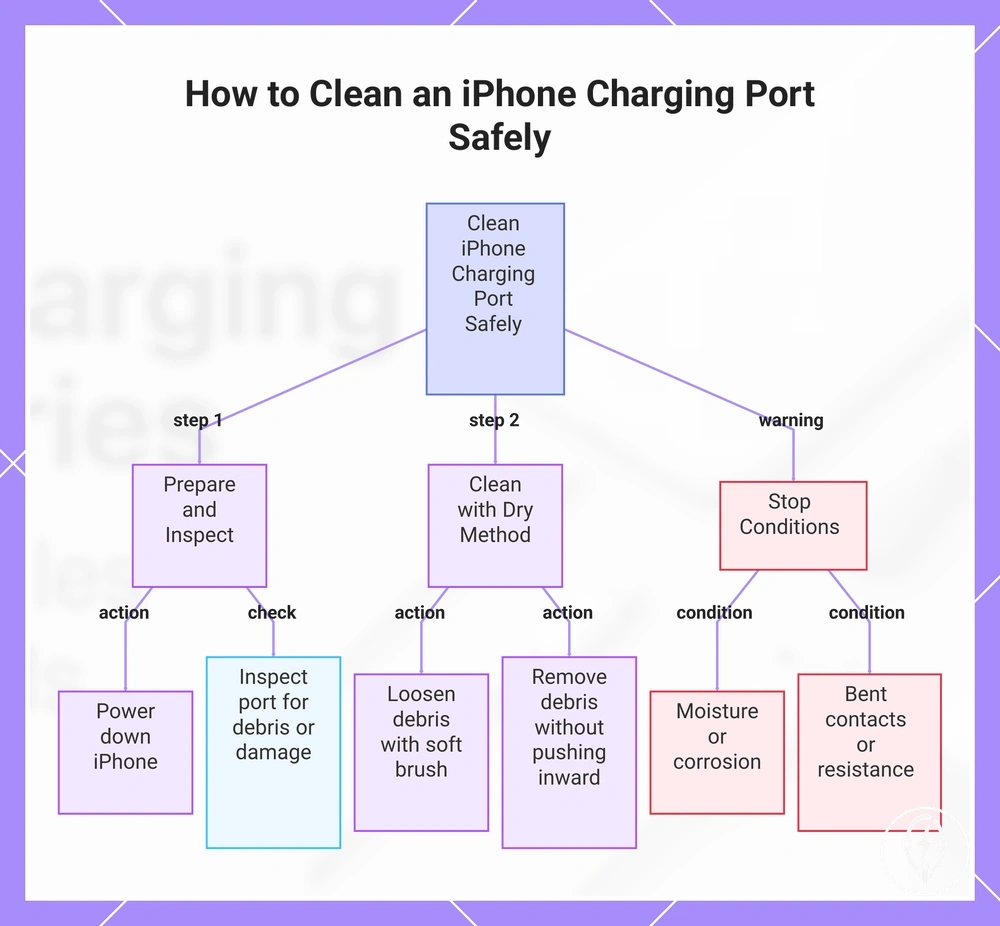
How to Clean an iPhone Charging Port Safely means removing only loose dust or lint from the iPhone charging port with a dry method, gentle pressure, and careful handling to avoid damaging the contact area. Routine cleaning is limited to removable debris and should stop if moisture, corrosion, visible damage, or unusual resistance is present. :contentReference[oaicite:0]{index=0}
Routine cleaning is limited to removable debris and should stop if moisture, corrosion, visible damage, or unusual resistance is present.
Loose lint can prevent a charging connector from seating completely inside the iPhone charging port, making a careful visual inspection worthwhile before assuming the cable or accessory is faulty. Power down the iPhone, inspect the port opening under good lighting, and use only a dry method with a soft brush or non-metal tool when loose debris is visible. If you find moisture, corrosion, bent contacts, or resistance while cleaning, stop because those conditions fall outside routine maintenance. :contentReference[oaicite:1]{index=1}
- Power down the iPhone. Turn the iPhone off before cleaning so the charging port is not being used during maintenance. Use only a dry method before proceeding.
- Inspect the iPhone charging port. Perform a visual check of the port opening for loose dust, lint, moisture, corrosion, bent contacts, or other visible damage. If moisture or corrosion is present, use the stop condition instead of continuing.
- Loosen loose dust and lint. Gently loosen visible debris with a soft brush or a non-metal tool using light pressure. Do not force the tool if resistance is felt.
- Remove the loosened debris. Lift dust or lint out of the port opening with careful cleaning movements rather than pushing debris farther inside. Keep the cleaning method dry throughout the process.
- Inspect the charging port again. Check that visible lint and loose dust have been removed and that the port opening is free from obvious obstructions. If debris remains difficult to remove, avoid increasing pressure or scraping the contact area.
- Follow the stop condition. Stop cleaning immediately if you notice resistance, moisture, corrosion, bent contacts, or visible physical damage because routine cleaning is intended only for removable debris and not for repair. :contentReference[oaicite:2]{index=2}
This chart shows the safe cleaning process for an iPhone charging port, including preparation, dry cleaning steps, and conditions that require stopping.
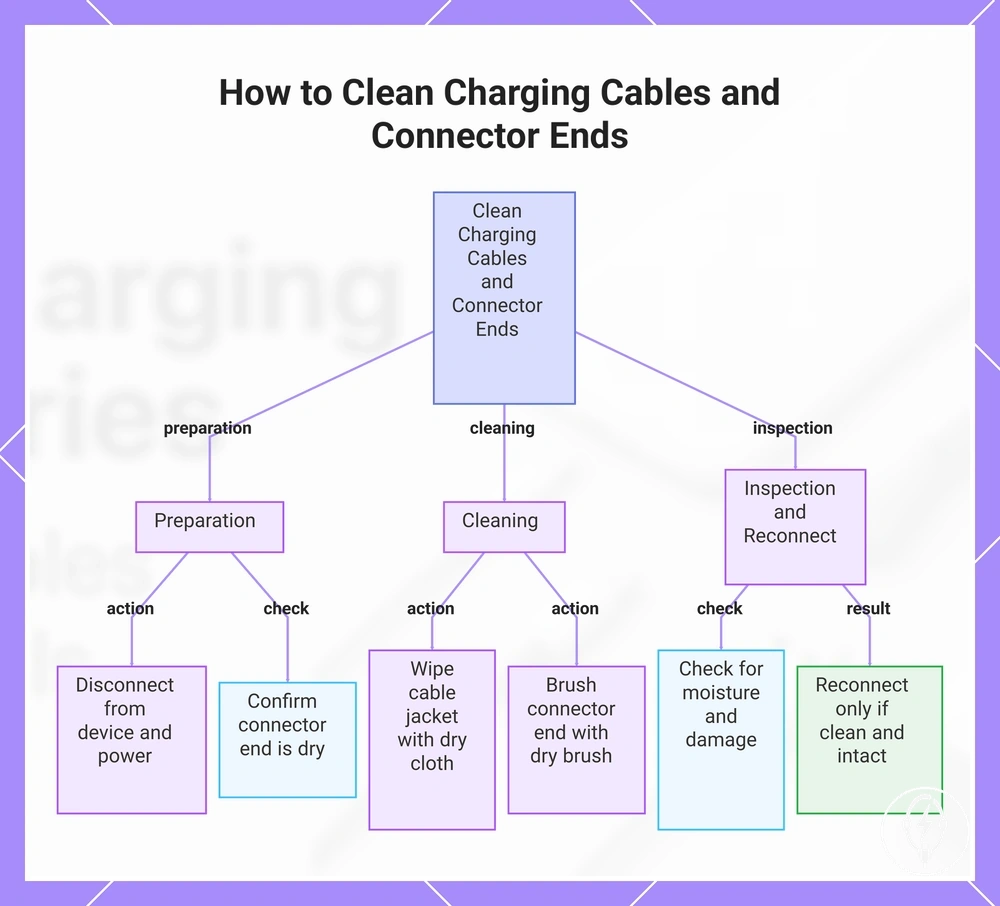
How to Clean Charging Cables and Connector Ends
How to Clean Charging Cables and Connector Ends means removing surface grime and connector-end residue with dry wiping and gentle brushing while preserving electrical contact and cable integrity. Clean only the cable jacket and connector end with dry methods, and reconnect the charging cable only after it is clean, completely dry, and free from visible physical damage. :contentReference[oaicite:0]{index=0}
If a charging cable has visible grime on the cable jacket or residue on the connector end, clean the surface before deciding whether to reuse it.
If a charging cable has visible grime on the cable jacket or residue on the connector end, clean the surface before deciding whether to reuse it. Use a dry cloth for the cable jacket, a soft dry brush for the connector end, and avoid moisture because a wet connector can interfere with electrical contact until it has dried completely. Surface dirt is suitable for routine cleaning, whereas fraying, a loose connector, or a bent connector shape indicates structural wear that should be identified before reuse. :contentReference[oaicite:1]{index=1}
- Disconnect the charging cable. Unplug the charging cable from the device and power source, and confirm that the connector end is dry before cleaning begins.
- Clean the cable jacket. Remove grime from the cable jacket using dry wiping with a clean, soft cloth. Do not soak the cable or apply liquid to the connector end.
- Clean the connector end. Remove visible residue with gentle brushing using a soft, dry brush. Stop cleaning if the connector appears loose or the connector shape is bent instead of applying additional force.
- Check for moisture. Inspect the connector end and cable surface to confirm that both are completely dry before reconnecting. Moisture avoidance helps preserve reliable electrical contact.
- Reconnect after inspection. Reconnect the charging cable only after confirming that the cable jacket is intact, the connector end is clean, and no visible physical damage is present.
How to Clean Charging Cables and Connector Ends also includes a reuse inspection because cleanliness alone does not confirm that a charging cable remains suitable for use. Reuse depends on both a clean cable surface and an acceptable physical condition. :contentReference[oaicite:2]{index=2}
- Cable jacket: Confirm that no fraying, splits, or exposed internal material are visible.
- Connector end: Confirm that the connector end is clean, dry, and free from visible residue.
- Connector condition: Confirm that the connector is not loose and does not have a bent connector shape.
- Before reconnecting: Reconnect the charging cable only after confirming that both the cable surface and connector end are clean and completely dry.
This chart shows the step-by-step process for cleaning charging cables and connector ends, including preparation, cleaning methods, and inspection before reuse.
How to Clean Charging Contacts Without Damaging Them
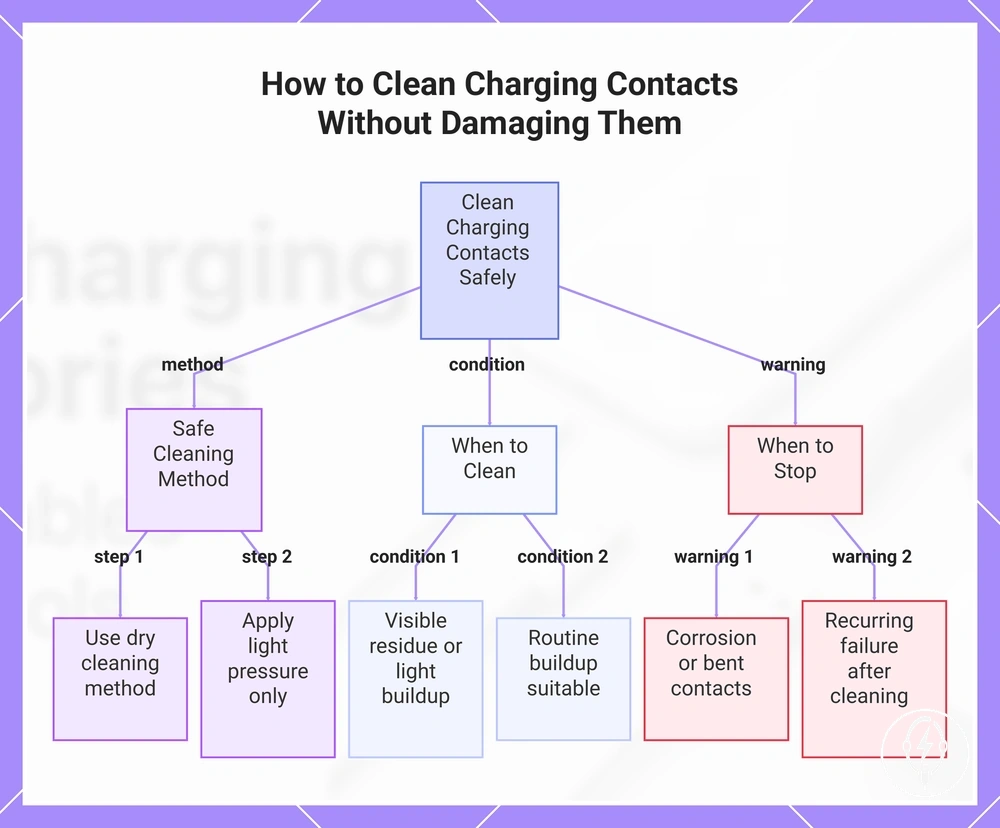
How to Clean Charging Contacts Without Damaging Them means removing residue from the charging contacts with a dry cleaning method, light pressure, and careful handling instead of force. Routine contact cleaning is limited to removable residue on the contact surface, while corrosion signs, bent contacts, and recurring failure are stop conditions that fall outside normal maintenance. :contentReference[oaicite:0]{index=0}
Charging contacts should be cleaned only when visible residue or light buildup is present on the contact surface.
Charging contacts should be cleaned only when visible residue or light buildup is present on the contact surface. Clean the connector contacts and accessory contacts with a dry method and gentle contact so residue is lifted without scraping the contact edges or applying excessive pressure. Routine contact buildup is suitable for dry cleaning, whereas corrosion signs or bent contacts increase the risk of permanent contact damage and should not be treated with additional cleaning. :contentReference[oaicite:1]{index=1}
A common myth is that harder cleaning restores charging contacts or resolves charging errors.
A common myth is that harder cleaning restores charging contacts or resolves charging errors. In reality, increasing pressure does not remove corrosion or repair bent contacts, and recurring failure after visible residue has been removed indicates that the problem extends beyond routine contact cleaning. Stop cleaning when these conditions are present and seek professional assessment instead of applying more force. :contentReference[oaicite:2]{index=2}
Stop cleaning when these conditions are present and seek professional assessment instead of applying more force.
How to Clean Charging Contacts Without Damaging Them focuses on controlling pressure, dryness, and safe reconnection rather than repeated cleaning. Once the charging contacts are clean and completely dry, continue with correct use after cleaning before reconnecting the charging accessory. :contentReference[oaicite:3]{index=3}
Once the charging contacts are clean and completely dry, continue with correct use after cleaning before reconnecting the charging accessory.
How to Clean Charging Contacts Without Damaging Them follows these controlled steps to reduce pressure, moisture, and contact damage risk:
- Inspect the contact surface. Check the charging contacts for residue, corrosion signs, bent contacts, or other visible damage before cleaning.
- Remove routine buildup. Lift residue from the connector contacts and accessory contacts with a dry cleaning method using light pressure and gentle contact only.
- Avoid aggressive cleaning. Do not scrape the contact edges or increase pressure because force can damage delicate contact surfaces.
- Confirm dry conditions. Ensure the charging contacts are completely dry before reconnecting the accessory to maintain safe electrical contact.
- Follow the stop boundary. Stop routine cleaning if corrosion signs, bent contacts, or recurring failure remain after residue has been removed because those conditions require assessment rather than continued cleaning.
This chart shows the safe cleaning method, conditions for cleaning, and stop conditions to avoid damaging charging contacts.
How to Reduce Dust and Connector Buildup
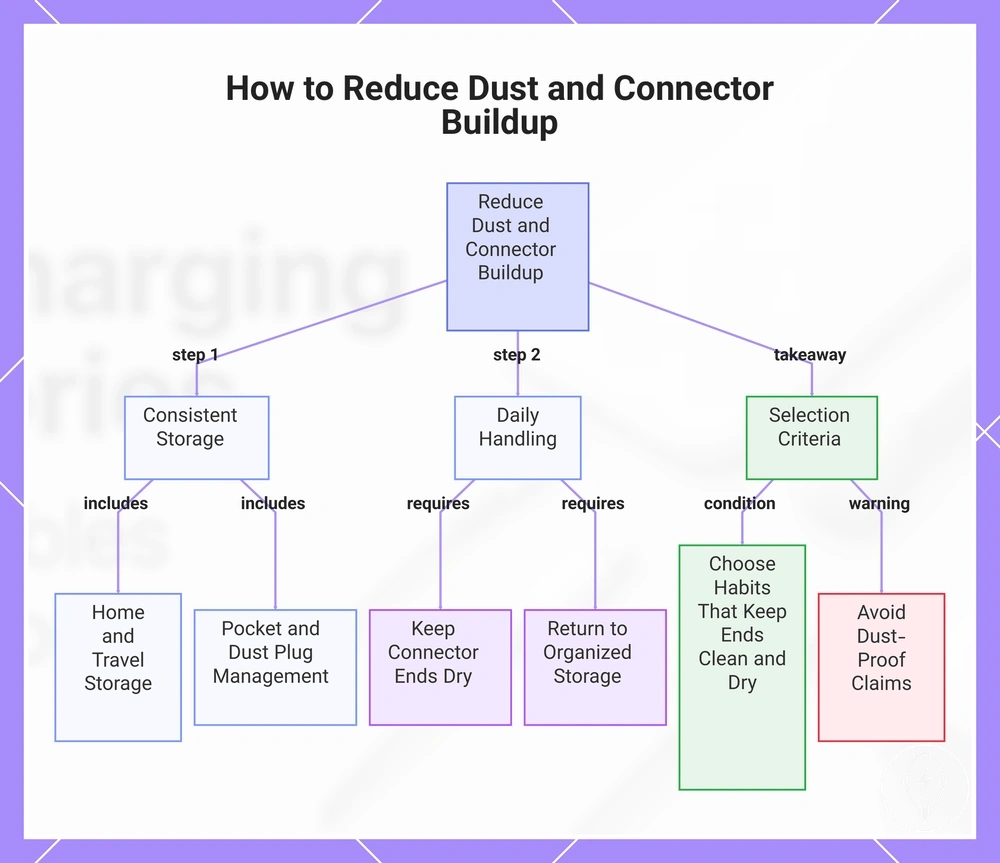
How to Reduce Dust and Connector Buildup depends on consistent storage, controlled exposure, and careful daily handling after cleaning. Keeping connector ends on a dry surface, using cable storage between uses, and limiting exposure to pocket lint, dust, and moisture can reduce future connector buildup, although these habits reduce exposure rather than guarantee charging performance. :contentReference[oaicite:0]{index=0}
At home, store charging cables on a clean, dry surface instead of leaving connector ends on dusty desks or floors.
At home, store charging cables on a clean, dry surface instead of leaving connector ends on dusty desks or floors. During travel, a cable organizer used with bag storage can help separate connector ends from loose debris, while pocket carry usually exposes connectors to more pocket lint and fibres than enclosed storage. Dust plugs fitted over the port opening may reduce direct lint entry when the port is not in use, but their benefit depends on consistent use, clean handling, and removal before charging rather than providing permanent protection. :contentReference[oaicite:1]{index=1}
After cleaning, daily handling should focus on preventing new debris exposure instead of repeated maintenance.
After cleaning, daily handling should focus on preventing new debris exposure instead of repeated maintenance. Keep connector ends dry before storing them, reduce moisture exposure, and return cables to organized cable storage after each use so dust and lint are less likely to collect during home use, travel, or pocket carry. The practical selection criteria are simple: choose storage habits, a cable organizer, or dust plugs only when they keep connector ends clean, dry, and protected from unnecessary debris exposure without relying on claims of dust-proof or permanent protection. :contentReference[oaicite:2]{index=2}
The products below are useful examples for comparing available options.
The products below are useful examples for comparing available options. Before buying, check that the compatibility criteria, key features, and product details match your needs.
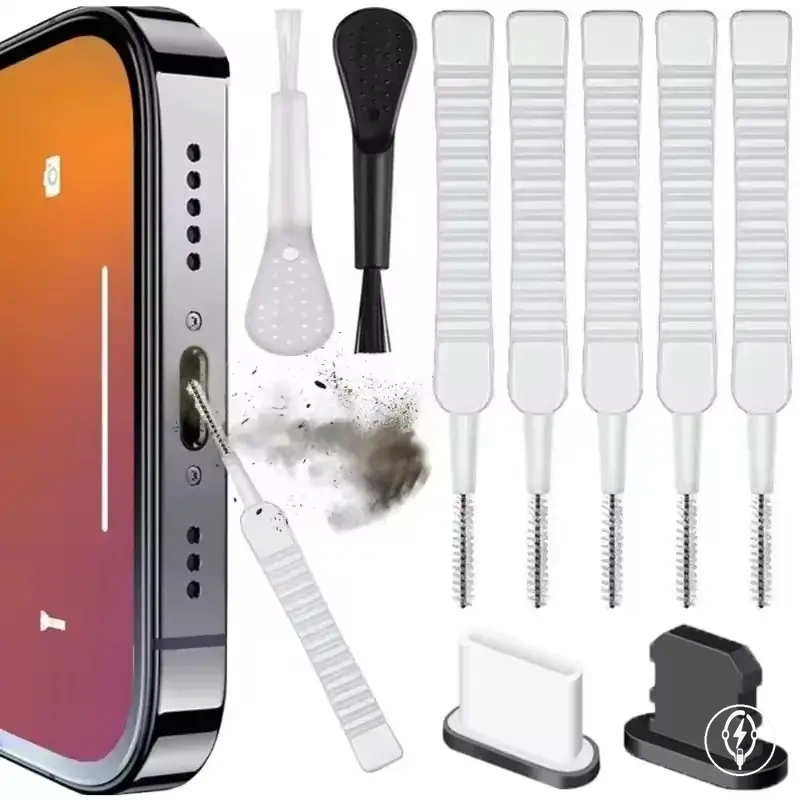
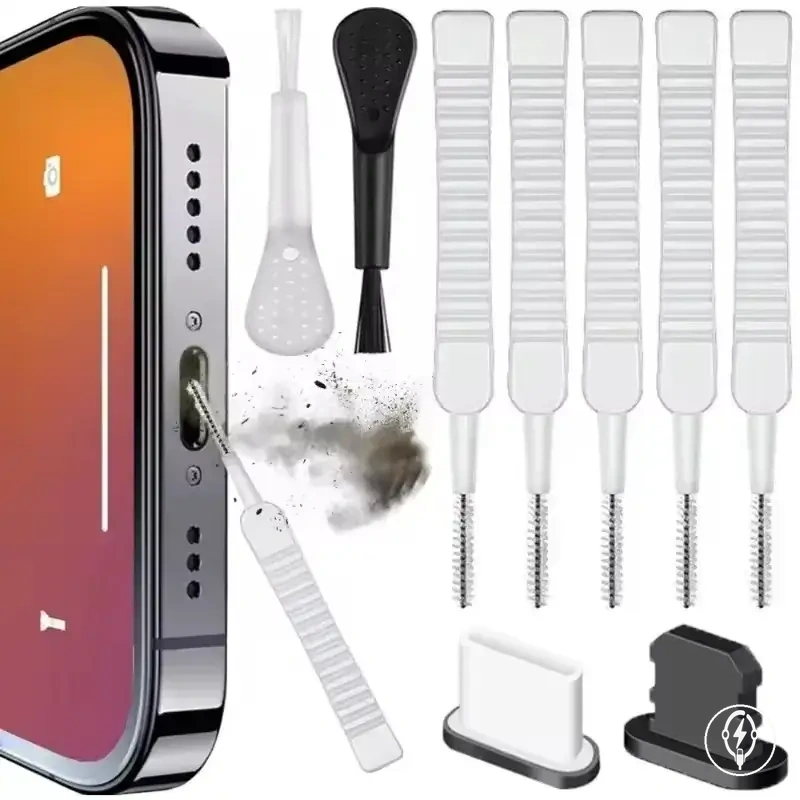
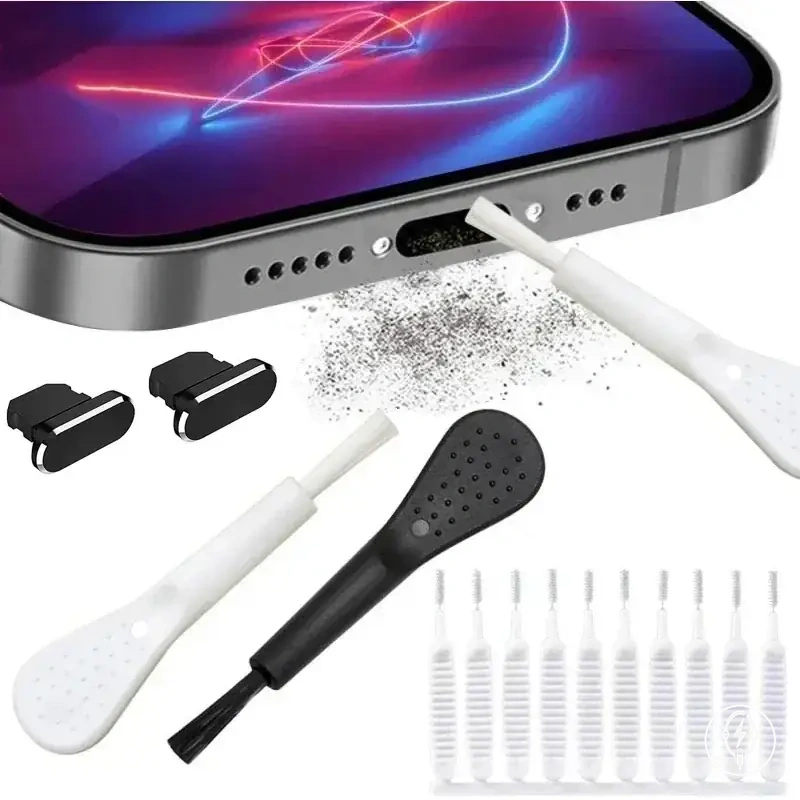
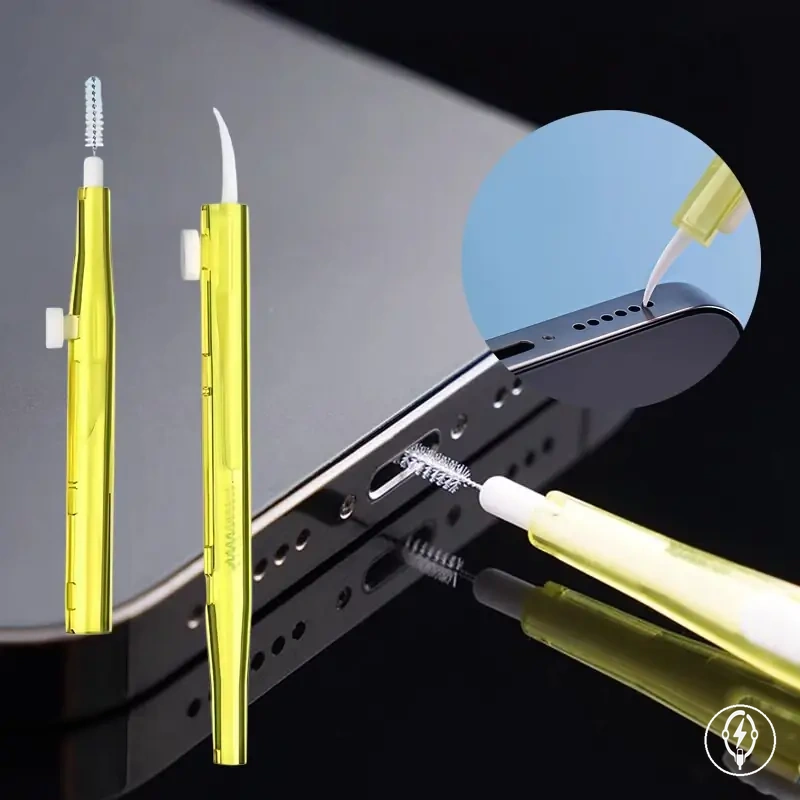
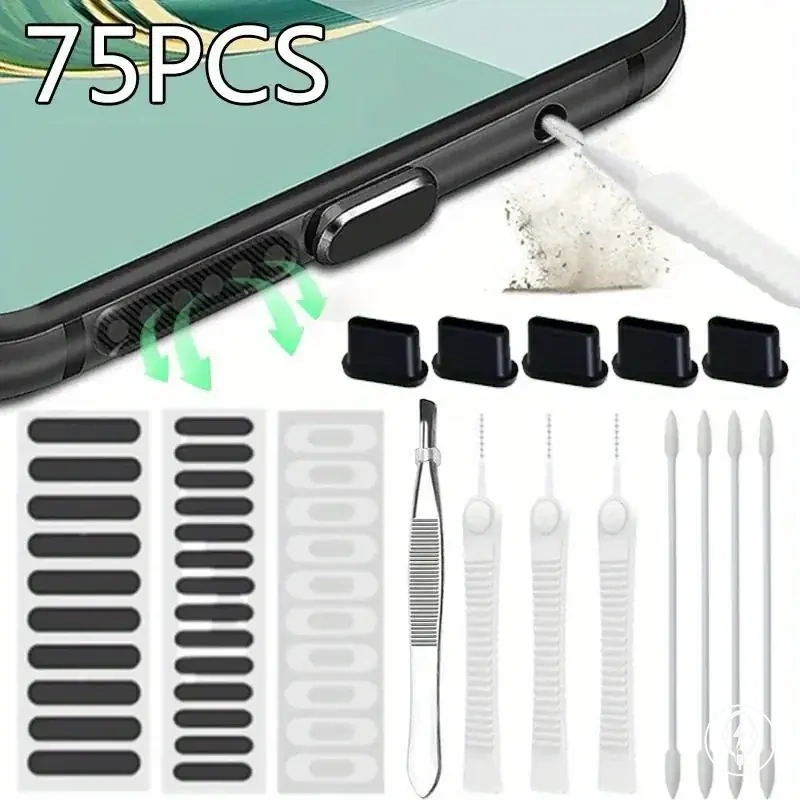
This chart shows the main steps to reduce dust and connector buildup through consistent storage, daily handling, and practical selection criteria.
Dust Plugs, Cable Storage, and Daily Handling
Dust Plugs, Cable Storage, and Daily Handling reduce future connector buildup by limiting routine exposure to pocket lint, dust, moisture, and dirty contact points between charging sessions. The checklist below groups practical daily prevention habits by exposure risk because the benefit of each habit depends on where the accessory is used, how often it is handled, and its current condition. :contentReference[oaicite:0]{index=0}
- Use dust plugs: A dust plug can help reduce pocket lint entering the port opening when the phone is carried in a pocket, provided the plug is kept clean and removed before charging.
- Practice cable coiling: Coil charging cables loosely during cable storage so connector ends are less likely to rub against hard or dirty surfaces during storage or transport.
- Fit connector covers: Connector covers can help keep connector ends cleaner when cables are stored in drawers, backpacks, or travel bags with other items.
- Use a cable organizer: Organizer use can help separate cables during bag storage, reducing contact with loose debris and helping prevent connector ends from becoming tangled.
- Keep connectors on dry surfaces: During daily handling, place charging connectors only on clean, dry surfaces and avoid dirty or damp contact points because moisture and debris increase the chance of future connector buildup.
When Cleaning Is Not Enough
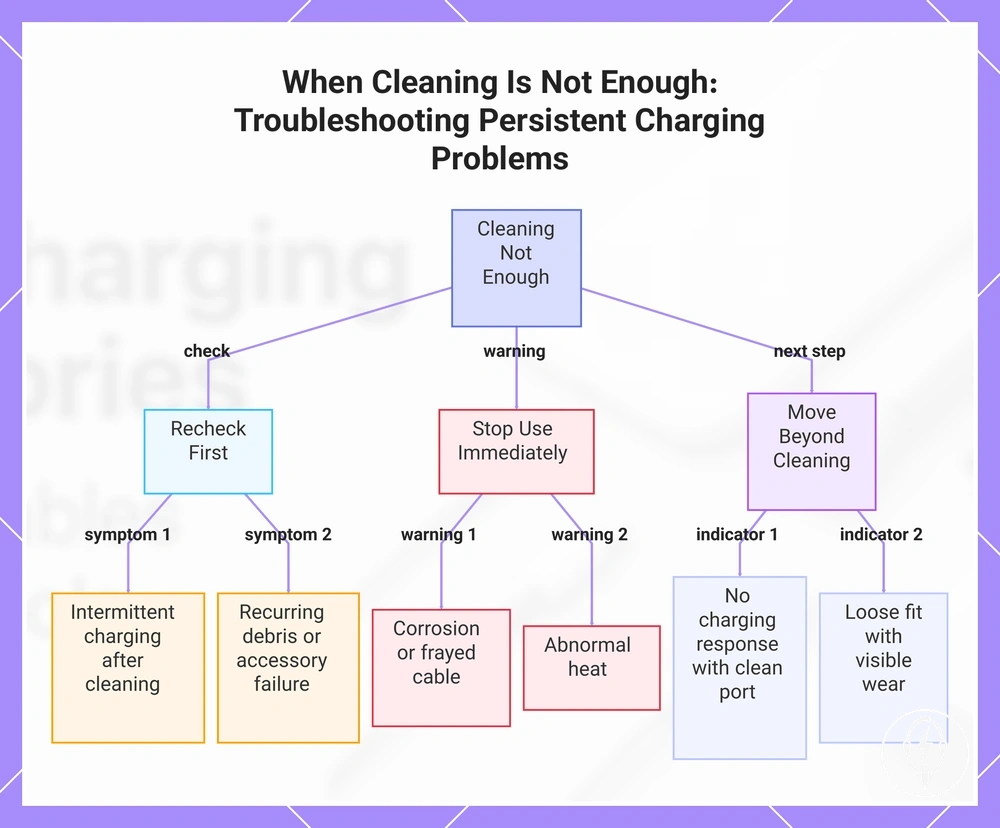
When cleaning is not enough, persistent charging problems indicate that routine debris removal is no longer the appropriate next step and the charging accessory should be assessed according to its condition. Persistent charging problems such as intermittent charging, no charging response, a loose fit after cleaning, visible corrosion, a frayed cable, abnormal heat, recurring debris, or accessory failure require condition-based interpretation rather than repeated cleaning. :contentReference[oaicite:0]{index=0}
If recurring debris quickly returns after cleaning, recheck storage conditions and the charging connector before repeating the cleaning process.
Intermittent charging or a loose fit after visible debris has been removed may indicate that the charging issue is no longer caused by removable contamination and requires further troubleshooting. Visible corrosion, a frayed cable, or unusual heat are clear stop-use signals because routine cleaning cannot correct those conditions and continued use may increase the risk of further accessory damage. If recurring debris quickly returns after cleaning, recheck storage conditions and the charging connector before repeating the cleaning process. The practical boundary is to recheck uncertain symptoms, stop using accessories showing visible damage or heat, and move to further troubleshooting when cleaning no longer changes the charging result. :contentReference[oaicite:1]{index=1}
Continue with charging accessories not working for the next stage of condition-based troubleshooting.
If the charging port and connector remain clean but the same symptoms continue, the charging problem has moved beyond routine maintenance even though the exact cause cannot be identified through cleaning alone. Persistent issue signals include intermittent charging, no charging response, loose fit, corrosion, heat, and accessory failure. Continue with charging accessories not working for the next stage of condition-based troubleshooting. :contentReference[oaicite:2]{index=2}
When Cleaning Is Not Enough becomes a troubleshooting decision once routine cleaning no longer changes the charging behaviour.
When Cleaning Is Not Enough becomes a troubleshooting decision once routine cleaning no longer changes the charging behaviour. Use the following checklist to decide whether the next step is a careful recheck, stopping use, or moving beyond routine cleaning.
- Intermittent charging: Recheck the charging port and connector for remaining debris. If the symptom continues after cleaning, continue with troubleshooting.
- No charging response: If the charging port and connector are visibly clean but charging still does not start, stop repeating routine cleaning and continue with further checks.
- Loose fit: If the connector still feels loose after debris removal, inspect the connector condition and consider replacement if physical wear is visible.
- Corrosion, frayed cable, or heat: Stop using the charging accessory because these conditions extend beyond routine cleaning.
- Recurring debris or accessory failure: Recheck storage and handling practices first, then move to troubleshooting if the charging problem continues after cleaning.
This chart shows the decision process when routine cleaning no longer resolves charging problems, guiding whether to recheck, stop use, or move beyond cleaning.
Persistent Charging Problems After Cleaning
Persistent charging problems after cleaning mean that routine debris removal is no longer the only likely explanation for the charging issue. Persistent charging problems such as repeated disconnects, slow charging, no charging, accessory not recognized messages, loose connector fit, or debris reappearance broaden the possible cause range, and recurring symptoms should not be treated as a reason to keep forcing cleaning. :contentReference[oaicite:0]{index=0}
- Repeated disconnects: If charging repeatedly connects and disconnects after cleaning, check for a loose connector fit because unstable charging may indicate a recurring issue beyond removable debris.
- Slow charging or no charging: If slow charging or no charging continues after cleaning, perform cable swapping and adapter checking to determine whether the repeated problem remains limited to one accessory without assuming an exact cause.
- Accessory not recognized: If an accessory not recognized message continues after the connector contacts are clean, treat it as a troubleshooting boundary because recurring failure may extend beyond routine cleaning.
- Loose connector fit: If the connector still feels loose after debris removal, perform a connector condition check because persistent movement may contribute to repeated disconnects without confirming a damaged port or cable.
- Debris reappearance: If debris quickly reappears after cleaning, recheck storage and handling conditions because repeated contamination may contribute to recurring charging failure without proving a specific fault.
Professional Cleaning and Replacement Cues
Professional Cleaning and Replacement Cues identify the visible conditions that mark the boundary between routine home cleaning and further action. Stop home cleaning when corrosion, bent contacts, a damaged cable jacket, heat marks, or other visible damage are present because additional cleaning can increase the risk of further damage; the next step should be based on whether the condition points toward professional cleaning or accessory replacement. :contentReference[oaicite:0]{index=0}
A common myth is that repeated cleaning will eventually restore every charging accessory.
A common myth is that repeated cleaning will eventually restore every charging accessory. In practice, visible wear, repeated failures, or an unstable connector fit after routine cleaning indicate that further cleaning is unlikely to resolve the condition and may create additional damage if force is applied. After assessing these replacement cues, continue with replace damaged accessories when the visible condition suggests replacement is more appropriate than continued maintenance. :contentReference[oaicite:1]{index=1}
After assessing these replacement cues, continue with replace damaged accessories when the visible condition suggests replacement is more appropriate than continued maintenance.
Professional Cleaning and Replacement Cues separate professional cleaning cues from accessory replacement cues by matching each visible condition with a cautious next step:
- Corrosion: Stop home cleaning and consider professional cleaning because corrosion on charging contacts extends beyond routine debris removal.
- Bent contacts: Do not straighten or force the contacts because additional pressure can increase contact damage. Consider professional inspection instead.
- Damaged cable jacket or heat marks: Stop using the charging accessory because exposed cable damage or heat marks are replacement cues rather than cleaning issues.
- Unstable connector fit with repeated failures: If the connector remains loose and charging failures continue after cleaning, inspect the accessory for visible wear and consider replacement if deterioration is evident.
- Visible wear: Cracked connector housings, worn connector surfaces, or other visible accessory wear should be treated as replacement cues when they occur together with repeated charging problems rather than as reasons to continue cleaning.